


- Kehai is the web analytics product I built and run. It sets no cookie and writes nothing to a visitor’s browser. [1]
- A visitor is a salted hash scoped to one site and one UTC day. The salt changes at midnight UTC and the visit ends with it. [2]
- Measured reports are not sampled, thresholded, collapsed into an (other) row, or blended with a model, four behaviors Google documents for GA4. [3][4][5][6][7]
- Every number says which system measured it: counted by Kehai, imported from GA4, Plausible, or Umami, or modeled by the forecast. [2]
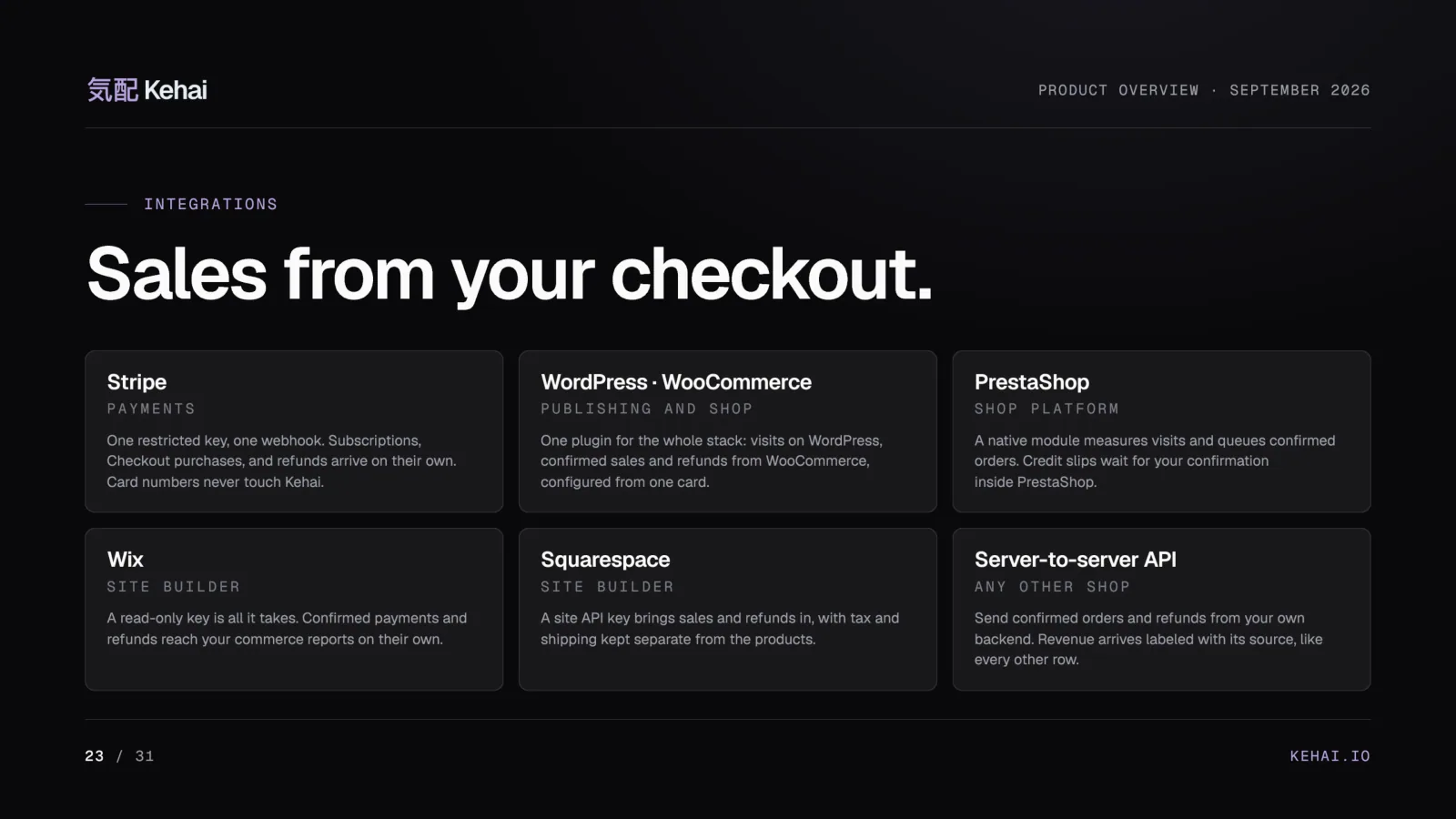
- Revenue arrives from the shop’s server after payment, from Stripe, WooCommerce, PrestaShop, Wix, Squarespace, or an API. [8]
- Bots get a ledger with the rule that caught each one, and AI assistants get their own channel. [9]
- Your own AI reads the reports over a read-only MCP server, and every plan exports everything. [10][1]
- Four plans from €49 to €399 a month, seven days free, hosted in Warsaw. [1]
- The 90-second film of the panel and the 31-page product deck are both below, playable and readable in place.
Two months ago, on August 14, I made the first commit of Kehai, a web analytics product. [11] By October 12 the repository held 1,211 commits. Kehai went public on September 10, launched with its WordPress and PrestaShop packages on September 15, and its plugin is now listed in the WordPress.org directory. [11][12]
This is not a review. I am the person who wrote it, so read this as the founder’s tour: why it exists, how it counts, every screen worth showing, the full deck, the prices, and the list of things it does not do yet. Kehai has its own slogan, and I will use it once and mean it: “Web analytics without the noise.” [1]
Start with the film: a 90-second tour of the panel, recorded on demo data, with nothing in it a customer. [3]
The questions a report should answer
Any analytics product will tell you how many sessions a page had. The questions that matter are harder: why the shop’s revenue and the report’s revenue disagree, how many of last month’s visits were bots, what happened to the campaign the numbers say nobody clicked. Kehai was written for the business or agency that already runs another tool and cannot answer those from its reports. [11]
Analytics spent two decades collecting the person to count the presence.
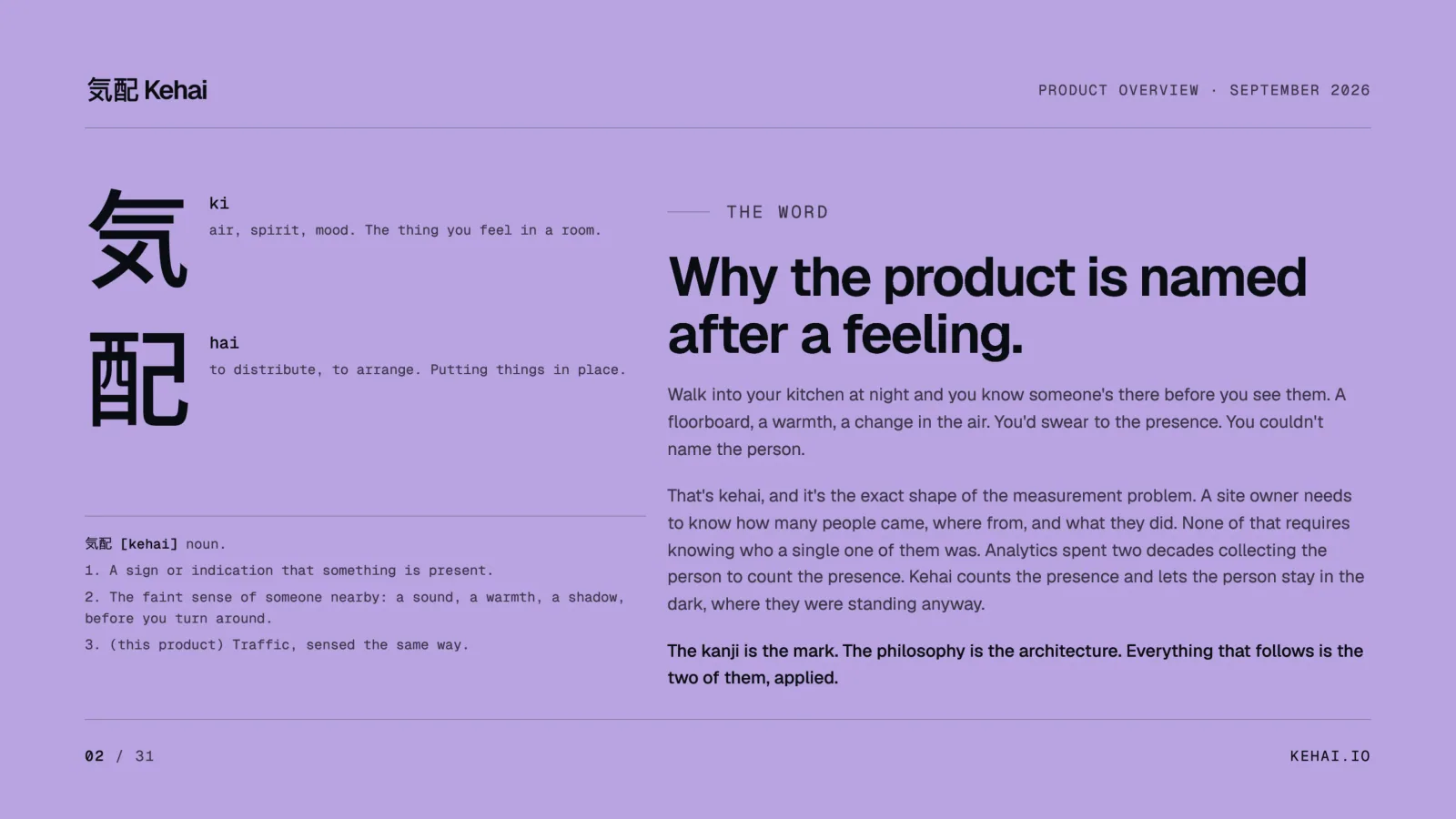
Kehai, the homepageKehai starts from the opposite decision. Count what happened, keep the row behind every number, and let the person stay unseen. The name carries that idea. 気配, kehai, is the Japanese word for the faint sense that someone is in the room before you turn around: a floorboard, a warmth, a change in the air. [1] You would swear to the presence. You could not name the person. That is all the tracker knows about a visitor.
Five ways a report loses rows
When I wrote down what “a number I can defend” means, it came out as five things a report must not do. None of them is exotic, and Google documents each one for GA4.
| What a report can do | How GA4 documents it | What Kehai does |
|---|---|---|
| Depend on a visitor accepting a measurement choice | With a consent banner, “Analytics will be missing data for users who decline consent,” and behavioral modeling estimates the gap once a property qualifies [7] | Counts without an analytics cookie, so the count does not wait for a banner answer [13] |
| Sample above a threshold | Sampling “may occur when the number of events used to create a report, exploration, or request exceeds the quota limit,” 10 million events per query on standard properties [4] | Measured reports use recorded events without sampling [1] |
| Withhold small rows | Data thresholds “are system defined. You can’t adjust them,” and a row with search query information may be withheld when there aren’t enough users [5] | Nothing is thresholded out of a measured figure, and a missing number stays missing rather than becoming zero [3][9] |
| Mix modeled values into counts | Blended reporting identity shows estimated users beside observed ones, marked by a data quality icon [7] | A forecast never sits in a measured column, and imported days are labeled with their source [2] |
| Collapse the long tail | Above a table’s row limit, Analytics “condenses less common values under the (other) row” [6] | Detail tables expose every observed row through pagination, with search across the full result [9] |
GA4 is free and it does a great deal well, and I have written before that it was never meant to be your system of record. The point of the table is narrower. Each behavior is a design choice made for scale, and each one costs you a row you can no longer point at. Kehai makes the other choice on all five, and pays for it in the ways described further down.
Retention is the sixth, quieter difference. In a standard GA4 property, user-level and event-level data can be kept for two or 14 months, and that setting governs explorations and funnel reports rather than standard aggregated reports. [14] In Kehai the retention window is chosen per site, within an allowance of one year on Solo to four on Commerce, and longer history is an add-on on any plan. [15][1]
A visitor is a day-long code
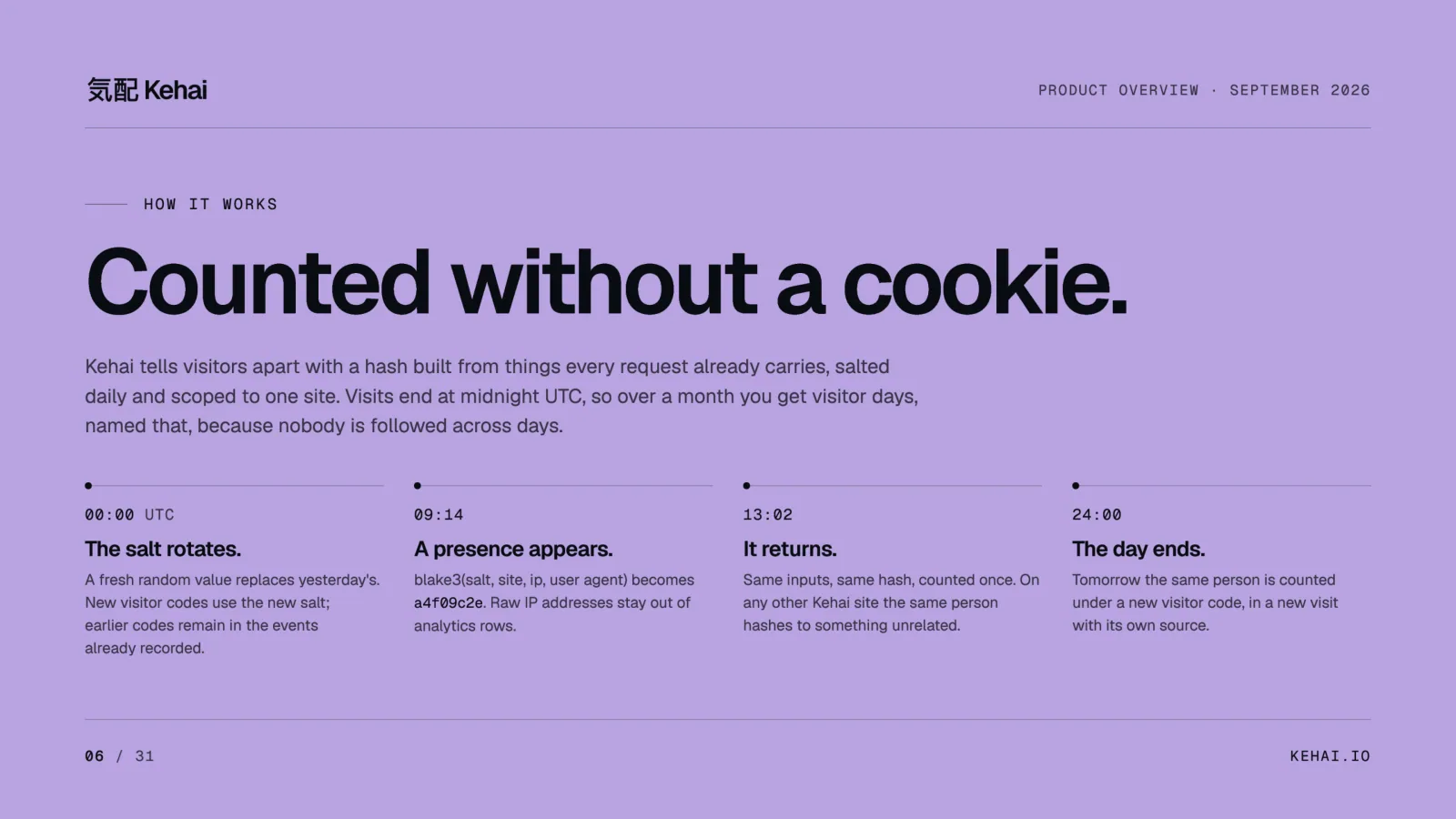
Kehai sets no analytics cookies and stores no visitor identifier in the browser. A visitor code is a one-way hash of the site, the network address, and the browser, salted with a random value that changes every midnight UTC. [2] The site’s identifier is part of the hash, so the same person on two Kehai sites produces two unrelated codes. [2][1] The manual’s page on how counting works defines visitor, visit, day, and origin on one page.
The consequence is one I chose on purpose. Over a month, Kehai reports visitor days and calls them that, because it does not follow anyone across days. [1] Adding 30 daily unique counts never produces a monthly one, in any tool, so Kehai stores the sum that stays honest. [16] What you lose is a “returning visitors” figure. What you keep is a count that does not need a stable identifier.
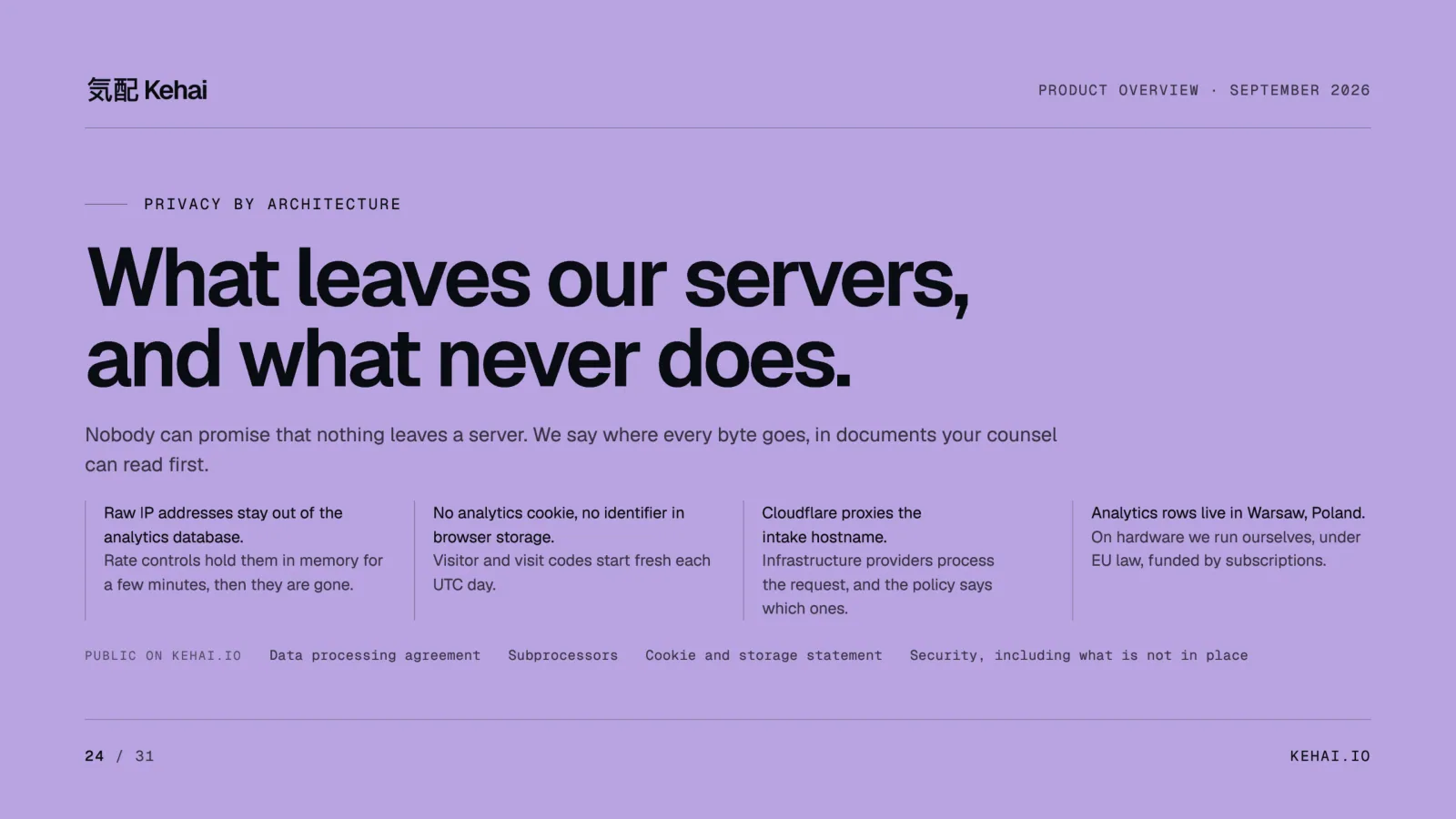
The address itself lives briefly. It is used for country, region, and city from a database on the server, for the daily code, and for a rate limit, which keeps it in memory for up to three minutes. Raw addresses and human user-agent strings stay out of ordinary analytics rows. [13][15][2]
What a row holds, and what the law still asks
Kehai publishes the full inventory of what a stored row holds: the path and query minus blocked parameter names, the referrer’s hostname only, the five UTM fields, country, region, and city, language, browser and system with major versions, window and screen size, times, and Web Vitals where the site turns that module on. Never a page title. [13]
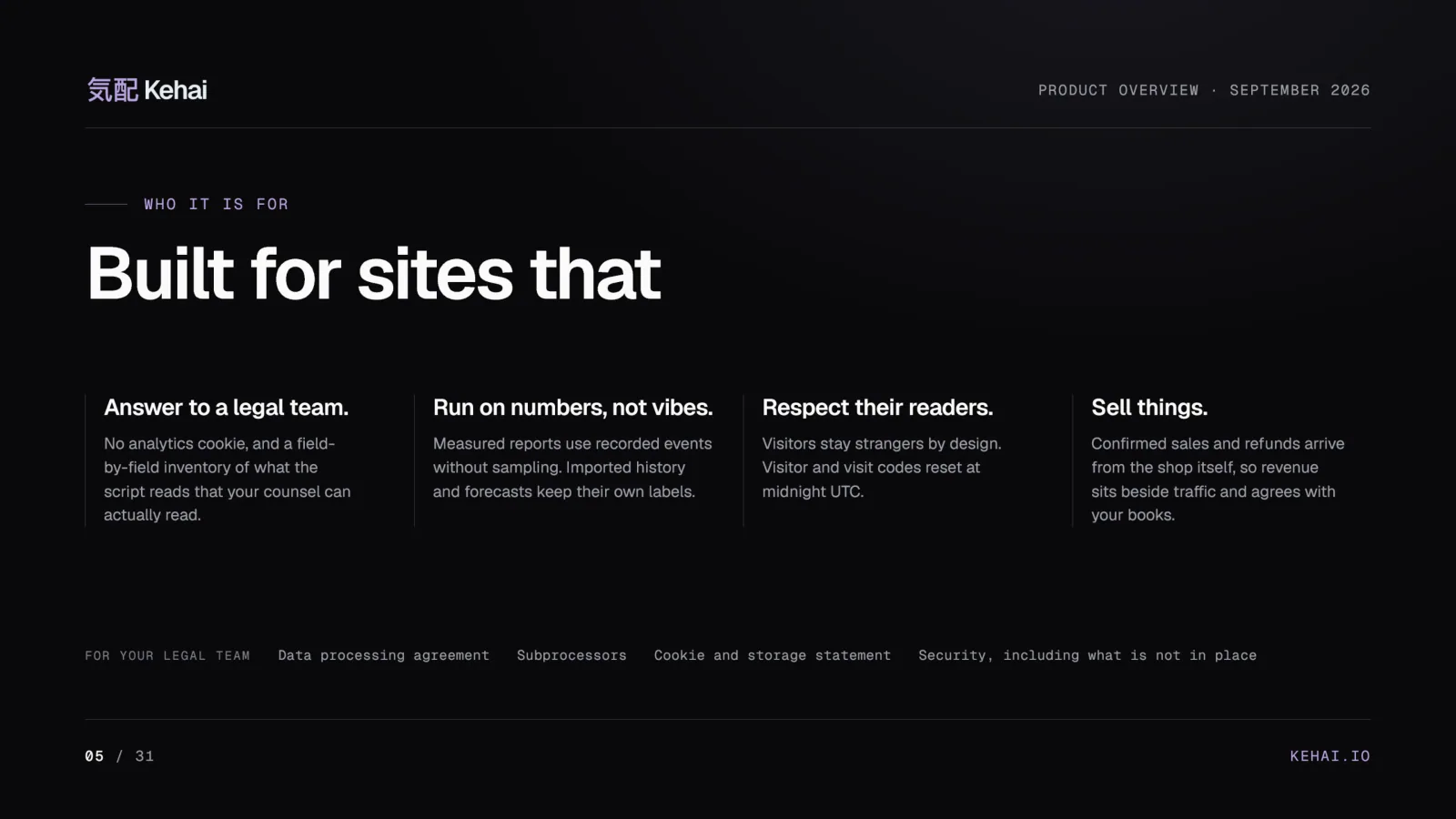
I want to be exact about consent, because this is where analytics marketing usually gets convenient. No cookie does not settle the question. The European Data Protection Board’s guidance on article 5(3) of the ePrivacy Directive explains that a script instructing a device to send information can fall under the rule without any cookie, and an exemption depends on the actual collection, its purpose, and national law. [13] So Kehai does not ship a consent popup, and it does not tell you that you are exempt. It hands your counsel a field-by-field statement instead, beside a privacy guide written for the legal team. The security page, the cookie and storage statement, and the data processing addendum are all public, so they can be read before anyone signs.
One tag, 2.5 kB
The whole installation is one line on the page, and the install guide shows where it goes on common platforms.
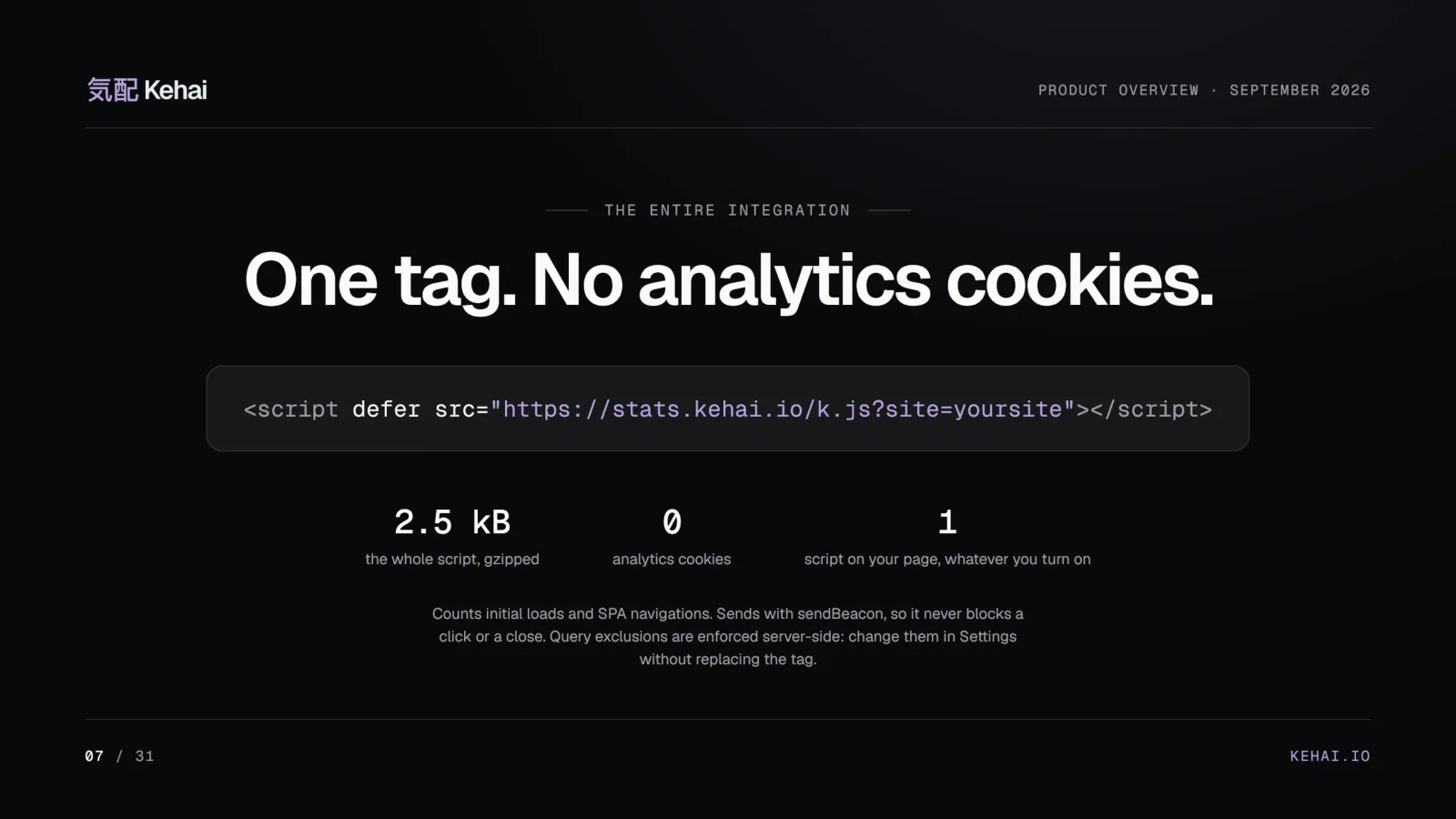
<script defer src="https://stats.kehai.io/k.js?site=yoursite"></script>
The tracker counts initial loads and single-page navigations, sends with sendBeacon so it never blocks a click or a close, and stays under a hard ceiling of 2,500 gzipped bytes that its own build enforces. [1] Query parameters to exclude are applied on the server, so changing them in Settings never means replacing the tag. On WordPress the plugin adds the tag for you, with no code and no API key, and leaves out administrators, previews, and visitors who send Do Not Track or Global Privacy Control. [12]
Twenty screens, twenty-six reports
The panel, at app.kehai.io, is grouped by the question each screen answers. [9]
| Group | Screens | The question |
|---|---|---|
| Overview | Overview, Realtime | How the site is doing, and who is on it now |
| Behavior | Pages, Events, Traffic patterns, Journeys, Funnels, Web Vitals | What people did once they arrived |
| Acquisition | Channels, AI traffic, Campaigns, Referrers | Where they came from |
| Audience | Geo, Tech | Countries and regions, browsers, systems, window widths |
| Commerce | Revenue, Products, Coupons | What it earned |
| Outcomes | Goals, Forecast | Whether it is working, and where it is heading |
| Integrity | Bots | What was removed before any human metric, and by which rule |
The API’s registry holds 26 reports, and the ones without a screen of their own, such as hours and window widths, draw as cards on those 20 screens. [9]
Explore the Overview below, or sign in to the live demo and click through the same screens yourself. Every screenshot in this piece comes from the public demo: Northbound Coffee is a generated shop running on the real software, and nothing on it is a customer. [3]
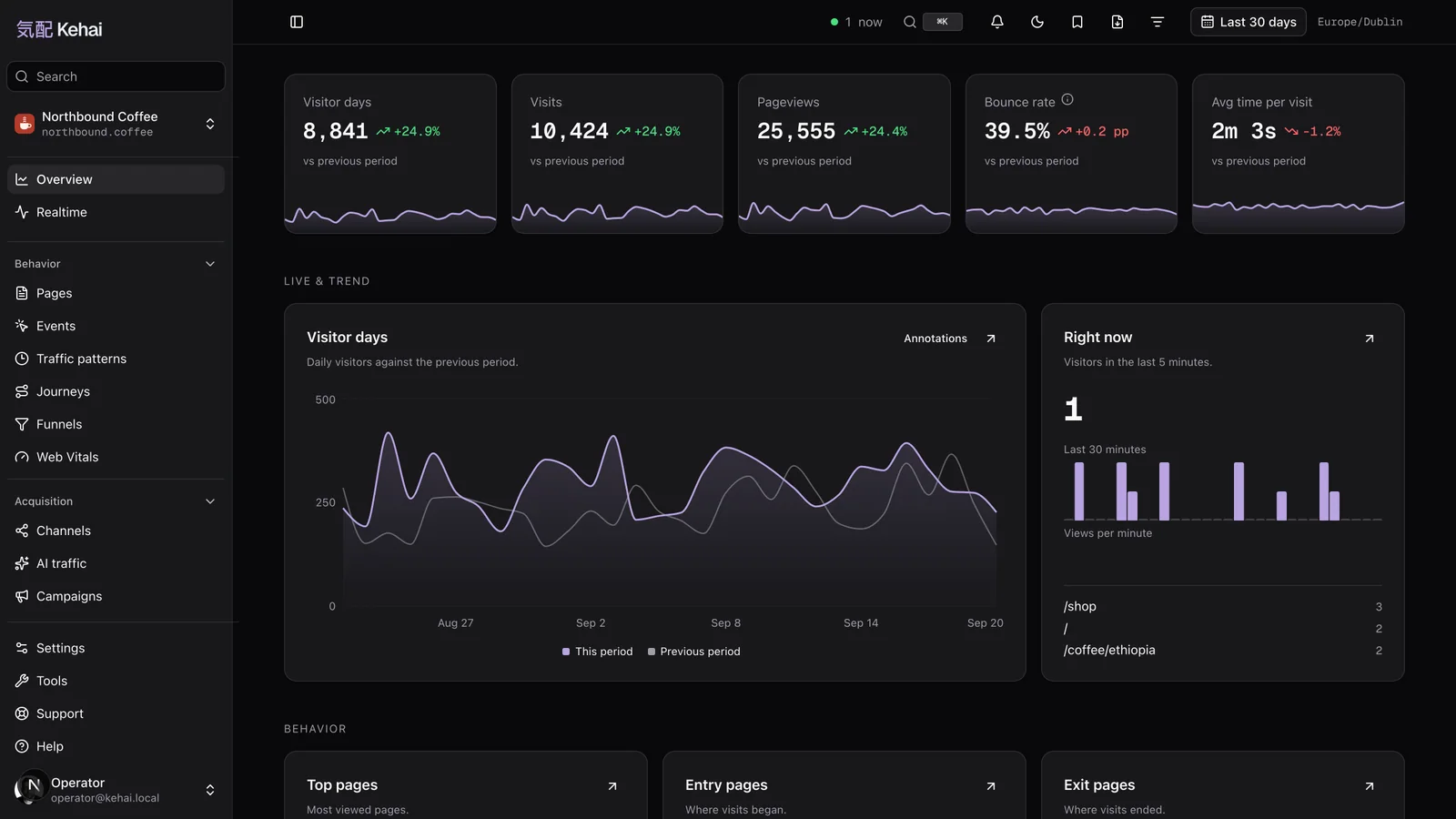
Every card follows one contract, so learning one screen is learning them all. A stat tile carries a sparkline wherever a real series exists. Tables sort and search across the whole result, not just the rows on screen, and every observed row stays reachable through pagination. Clicking a page, campaign, referring domain, product, or coupon filters the report, and the filter travels with you to the next screen. [9] The reports chapter of the manual maps every screen.
The rules that look like bugs until you know them are the ones I care about most. A filter a report cannot answer is refused, not ignored: Revenue under a device filter says so, because an order carries no device. A bounce rate that moved from 39.2% to 38% reads “-1.2 pp” on every screen, never “-3.1%.” And a dimension value that was never observed does not appear. [9]
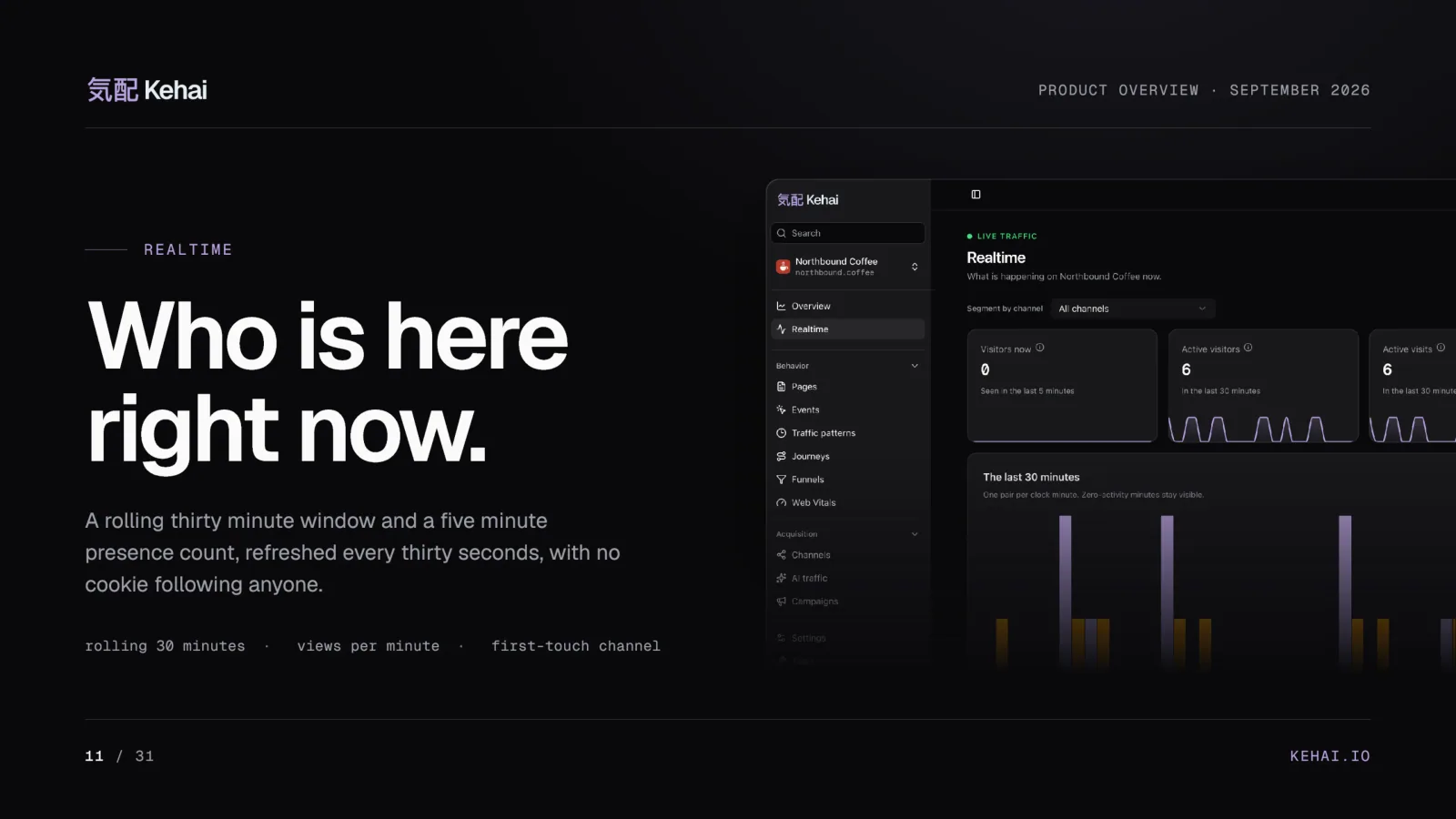
Realtime is the one screen without a date range, on purpose. [9] It answers one question, who is on the site now, from a rolling window, and it does that with the same daily code as every other report, so “live” never becomes a reason to store more about a person.
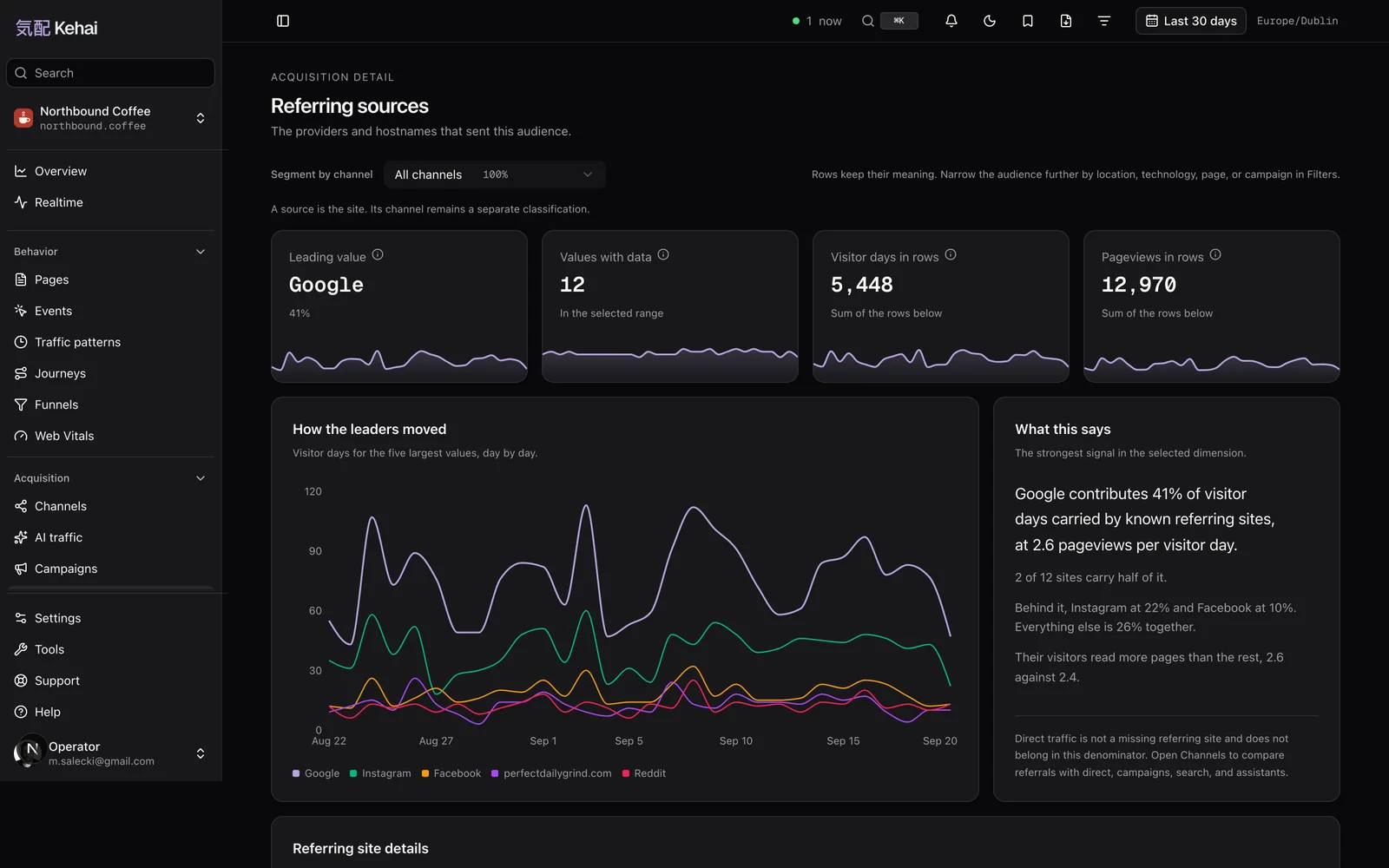
Where visits came from
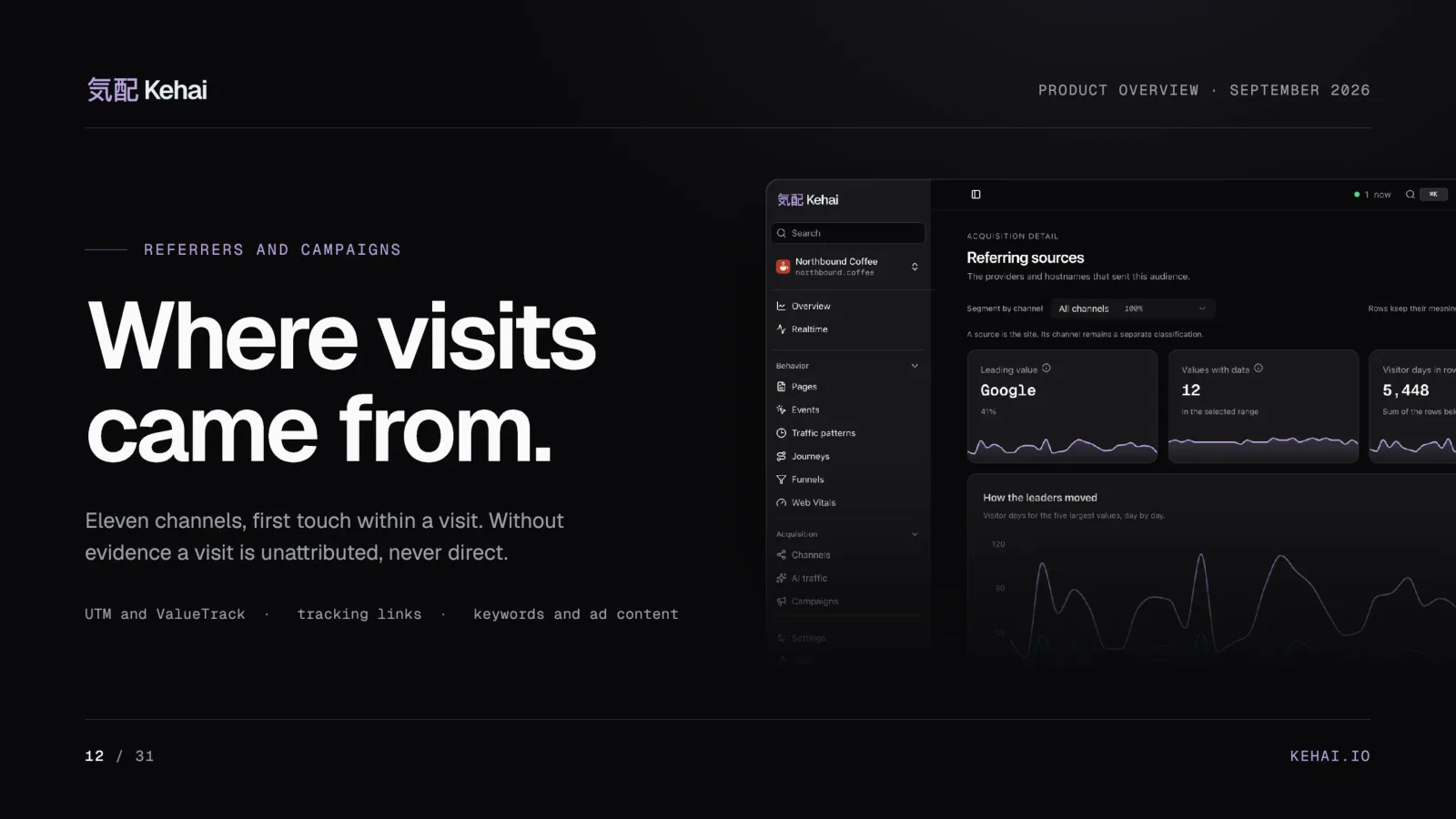
Acquisition reads the first touch within a visit, across eleven channels, and a visit without evidence of its source is unattributed, never direct. [3] Paid evidence beats an organic referrer, assistant sources beat search, and direct is the last fallback rather than a guess. [17] Campaigns read the five UTM fields and Google Ads ValueTrack parameters, keywords and ad content get their own breakdowns, and tracking links count the clicks from a mailing. [1] Connect Google Search Console and the Referrers screen gains the queries Google sent you, in Google’s own definitions and never added to a Kehai figure. [17] The acquisition chapter spells out the order of evidence.
Every bot, with its rule
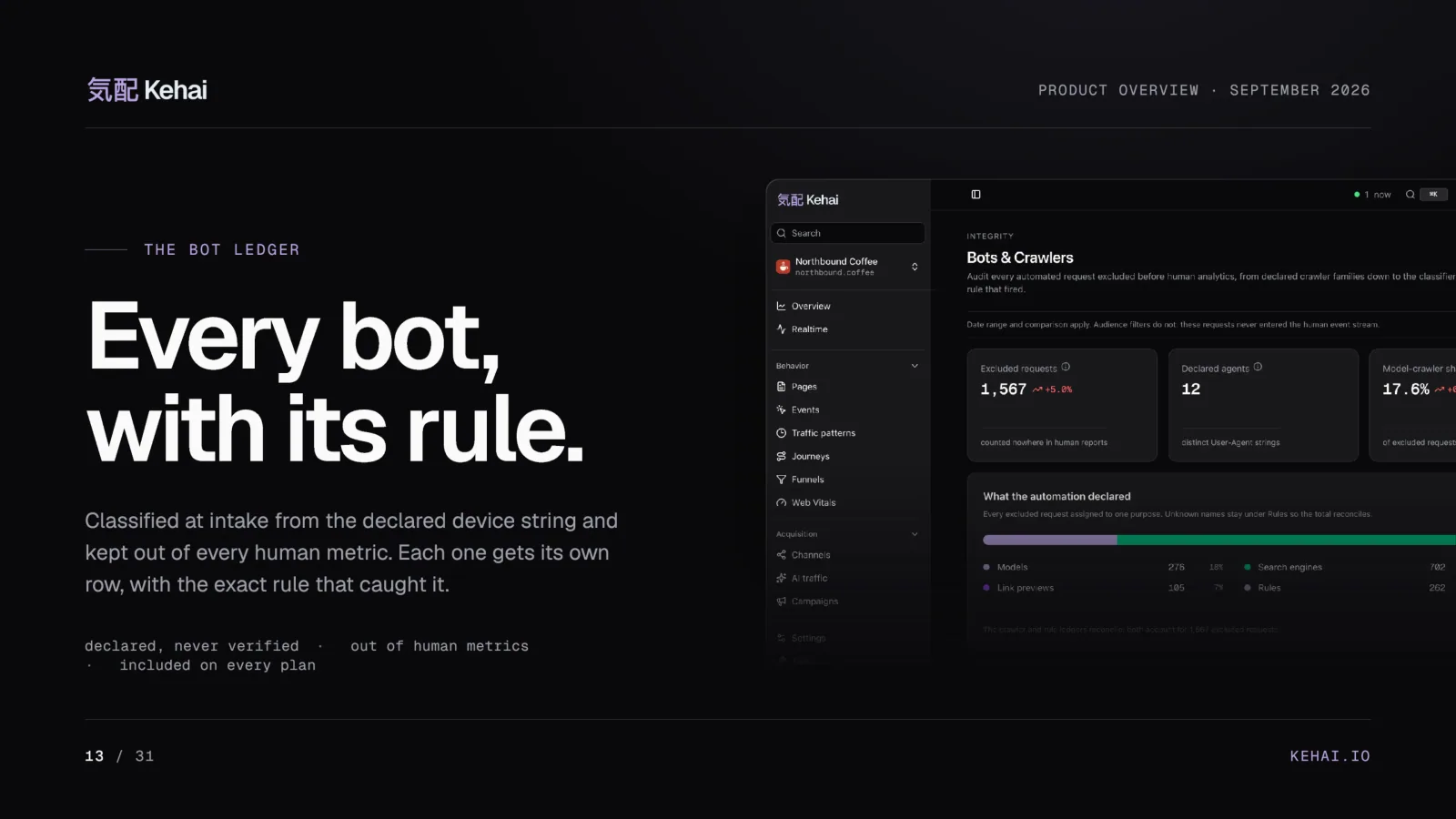
Traffic that declares itself a crawler is classified at intake and kept out of every human metric. Each removal ships with the rule that caught it. A name is a declaration, never a verification: confirming that a request really came from Googlebot would take a reverse lookup of an address Kehai does not keep, so the panel says “declared itself Googlebot” and no more. [2] The manual reads the ledger in goals, pacing, and bots.
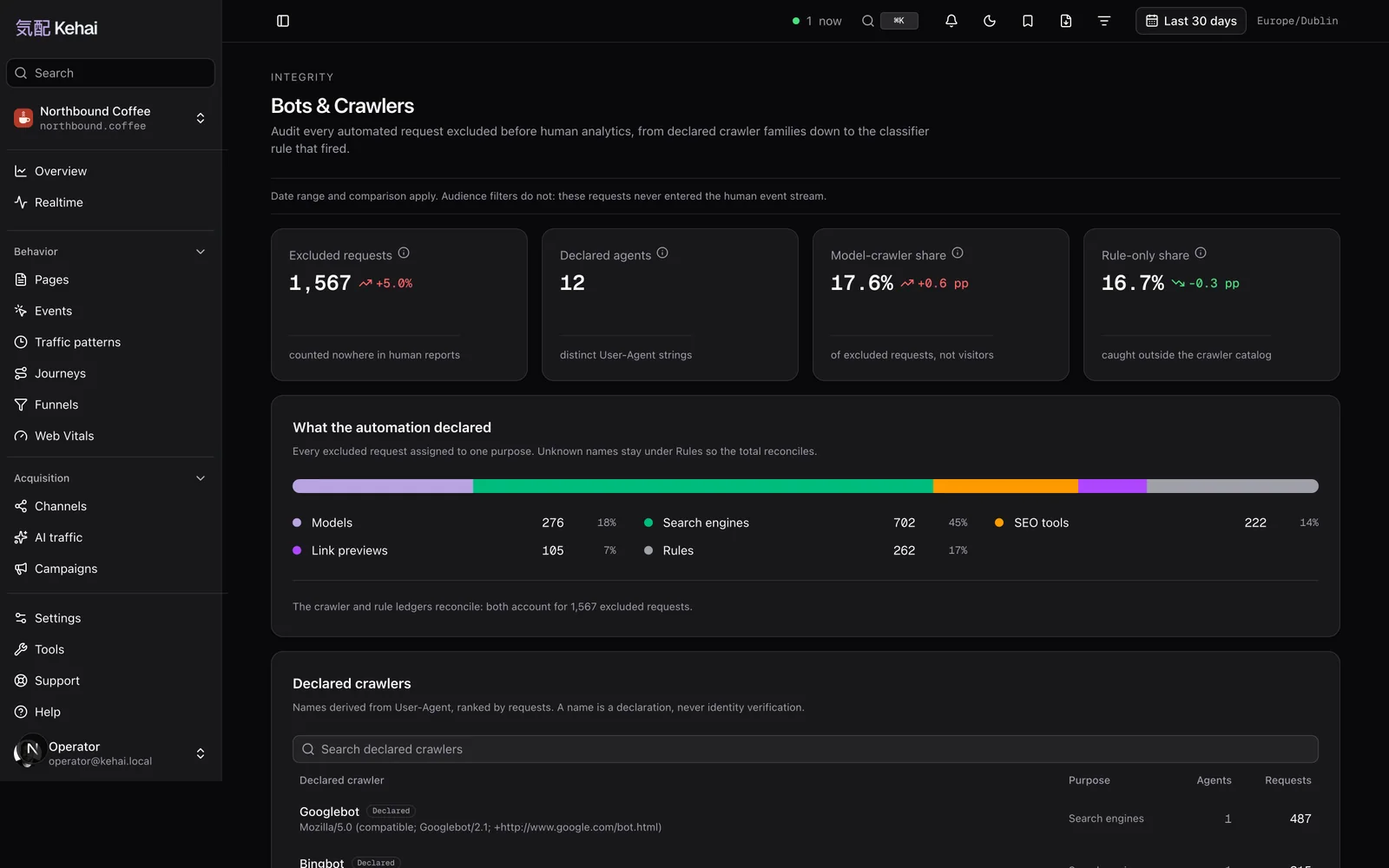
One honest limit belongs here. A bot that impersonates a browser is counted as a person. Kehai removes what identifies itself, which is most automated traffic and not all of it. [1] The ledger is on every plan, because a visit count you cannot audit for bots is not a count.
AI assistants, counted apart
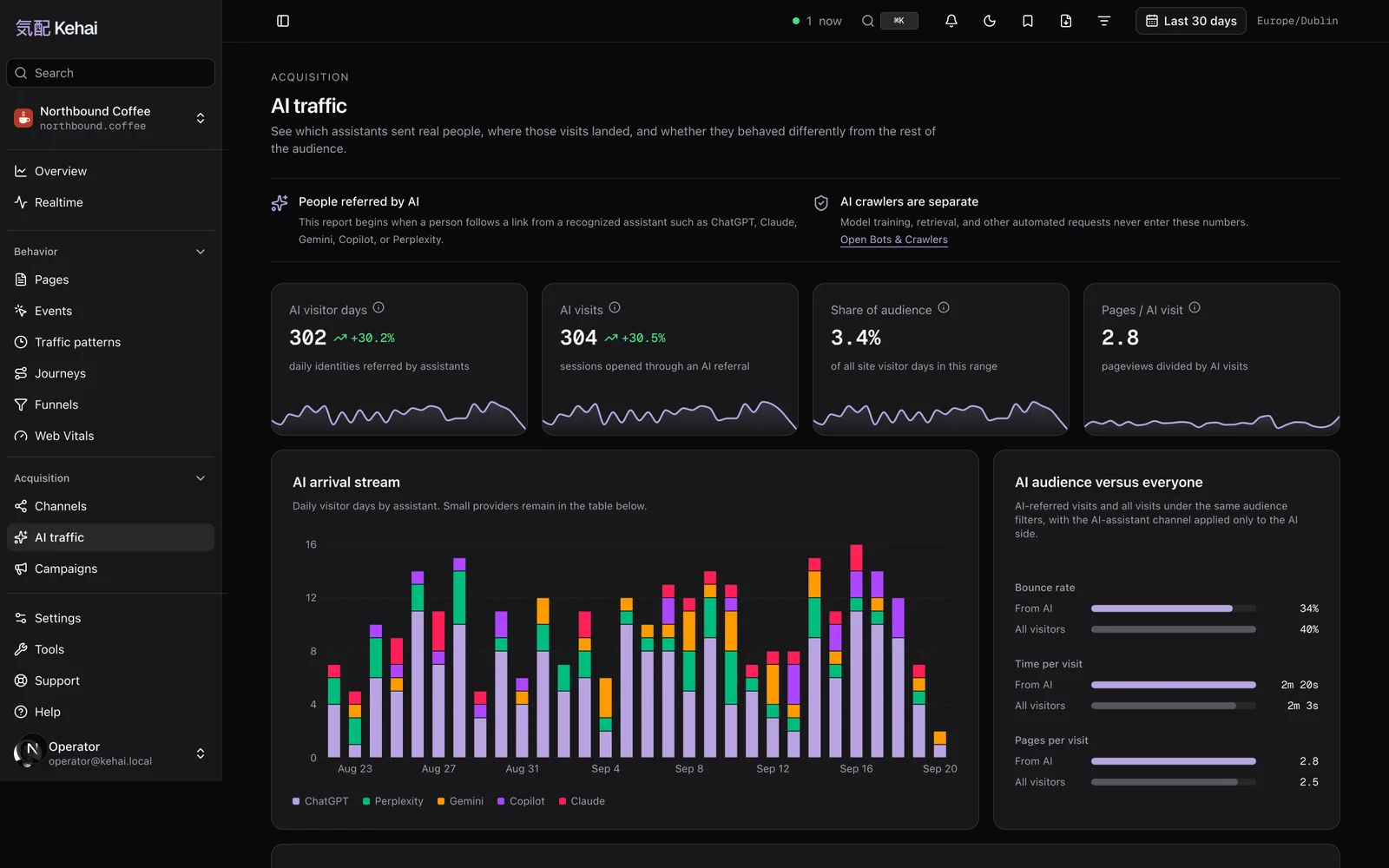
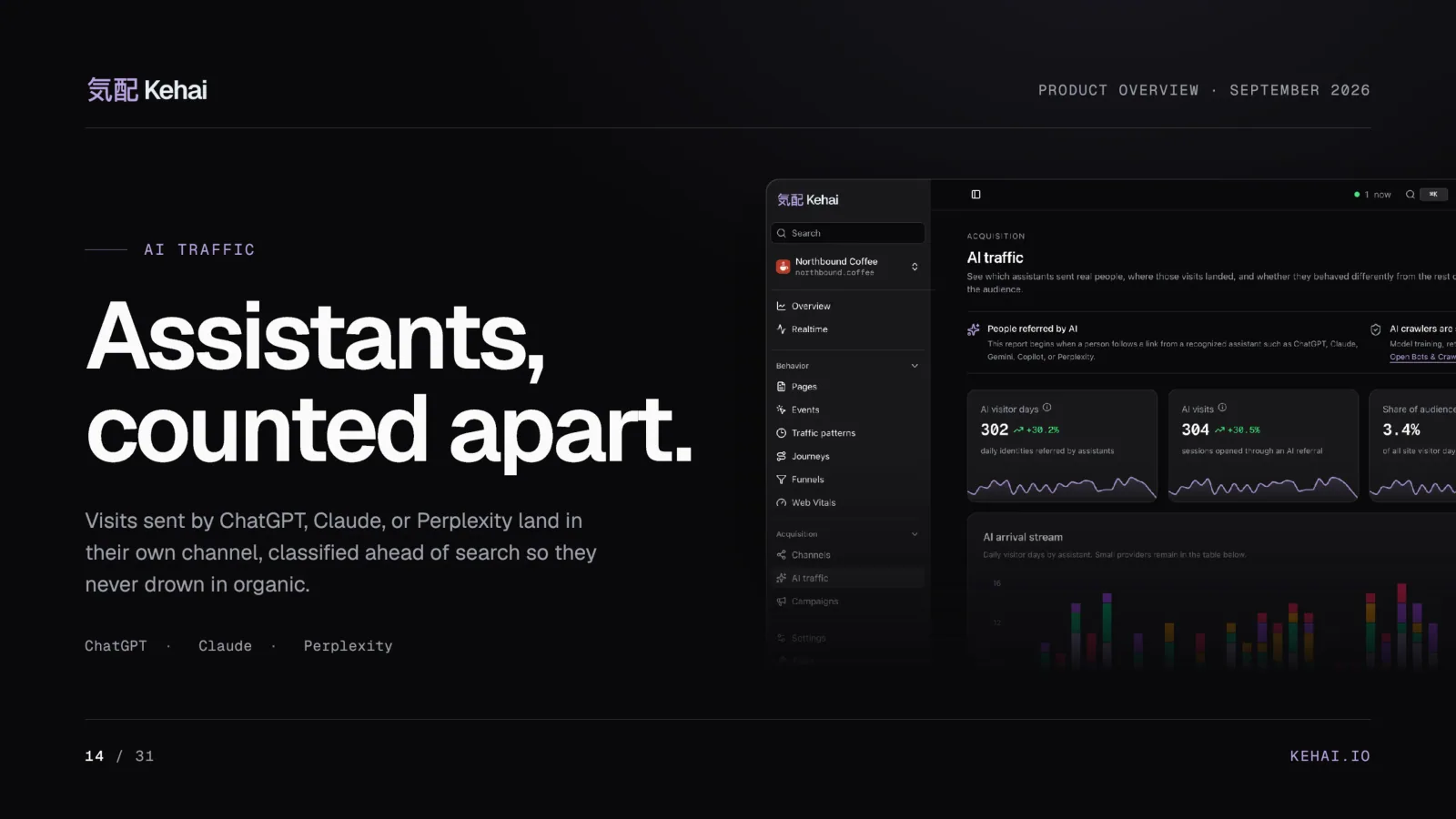
Visits sent by ChatGPT, Claude, Perplexity, Gemini, or Copilot land in their own channel, classified ahead of search so they do not disappear into organic. [1][17] Only the referring host is kept, never the path or query of the page somebody came from. [17] They are people arriving from an answer, which is a different thing from an AI crawler reading your pages, and the two stay in different reports. I argued in an earlier piece that most teams measure AI traffic from a channel that leaves out the largest AI surface. This report keeps assistants as a channel of their own.
Funnels, journeys, Web Vitals, and the rest
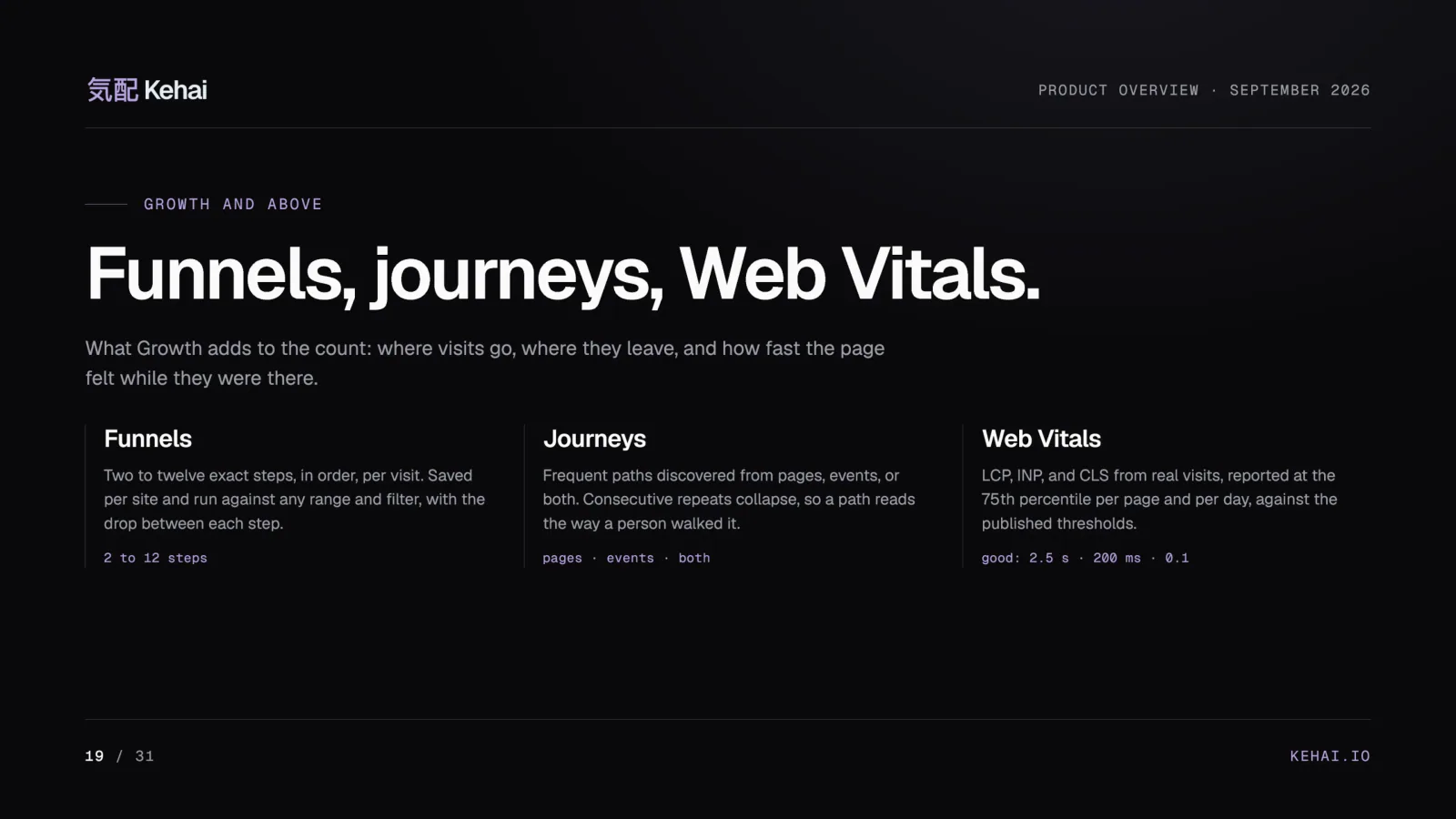
Growth adds three behavior screens. Funnels run two to twelve exact steps, counted in order within a visit, and a saved funnel keeps only its definition, so it answers over whatever range and filters you pick. Journeys find the frequent paths visits took, from pages, events, or both, and collapse consecutive repeats so a path reads the way a person walked it. Web Vitals report LCP, INP, and CLS from real visits at the 75th percentile, per page and per day, because that is how the thresholds are defined. [18][3] All three are in the pages and behavior chapter of the manual.
The quieter rest, each on the plans that carry it: [1]
- Custom event properties, from Core up.
- Local hour and weekday segments in the site’s own timezone, so Monday at 09:00 stays Monday at 09:00 wherever you open the panel. [18]
- Alerts that mail you when a day breaks the pattern a number has been holding, and weekly or monthly digests that each person switches on for themselves. [19]
- Read-only share links for a client or an investor without a seat, revocable at any moment. [19]
- A campaign link builder with a Google Ads ValueTrack preset, the history of every address you built, and tracking-link clicks with mail scanners counted apart rather than dropped. [19]
- Batch reports for BI pipelines, and five panel palettes. [1]
Revenue from the server, not the browser
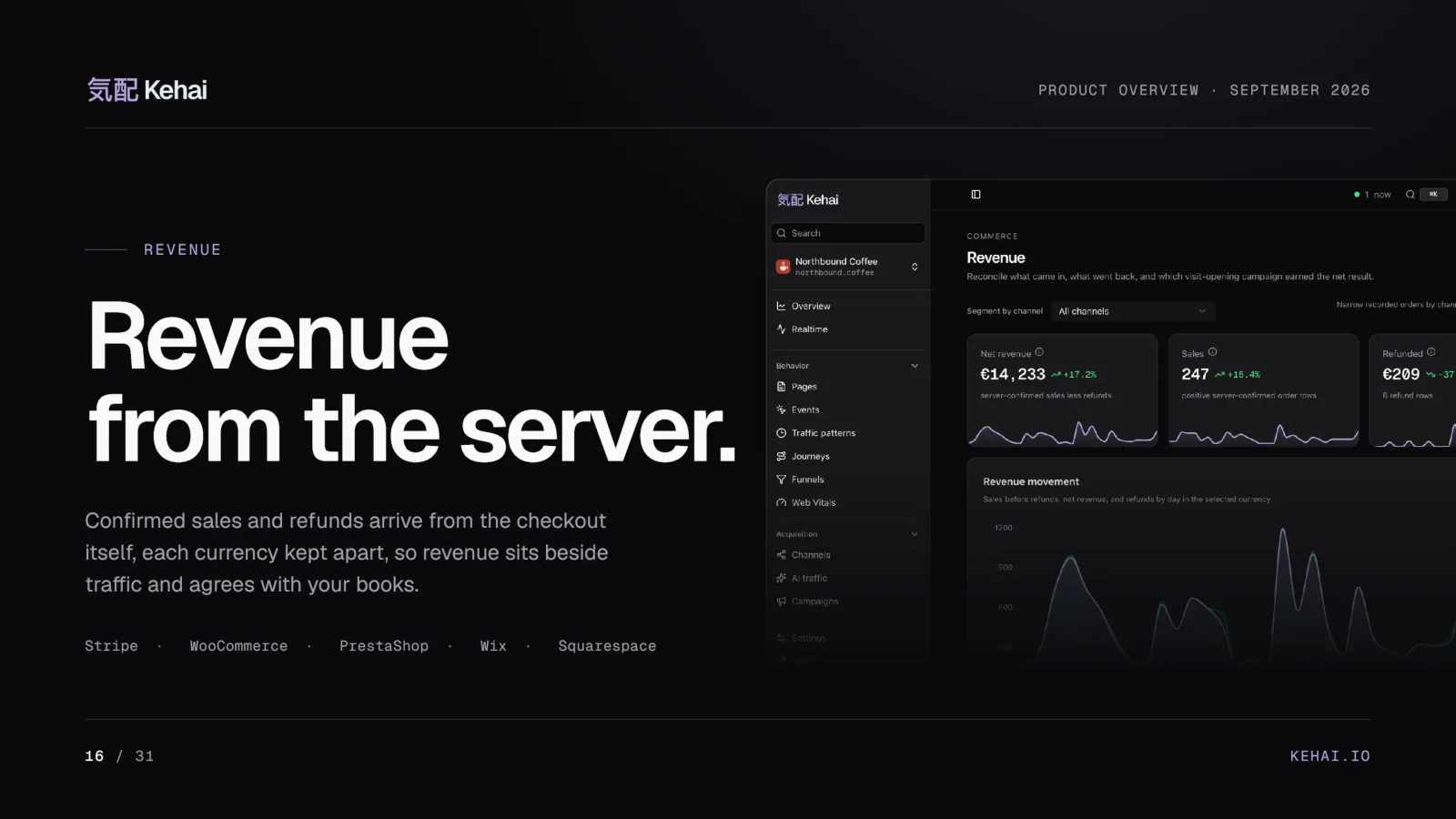
A browser can be made to say any number, and revenue is the number least worth guessing. So orders reach Kehai server to server, after payment confirmation, from the shop’s backend or a supported connection. [8] A purchase event on a thank-you page still works, and for many shops it is enough, but it feeds Goals and Events and never the commerce reports. [8]
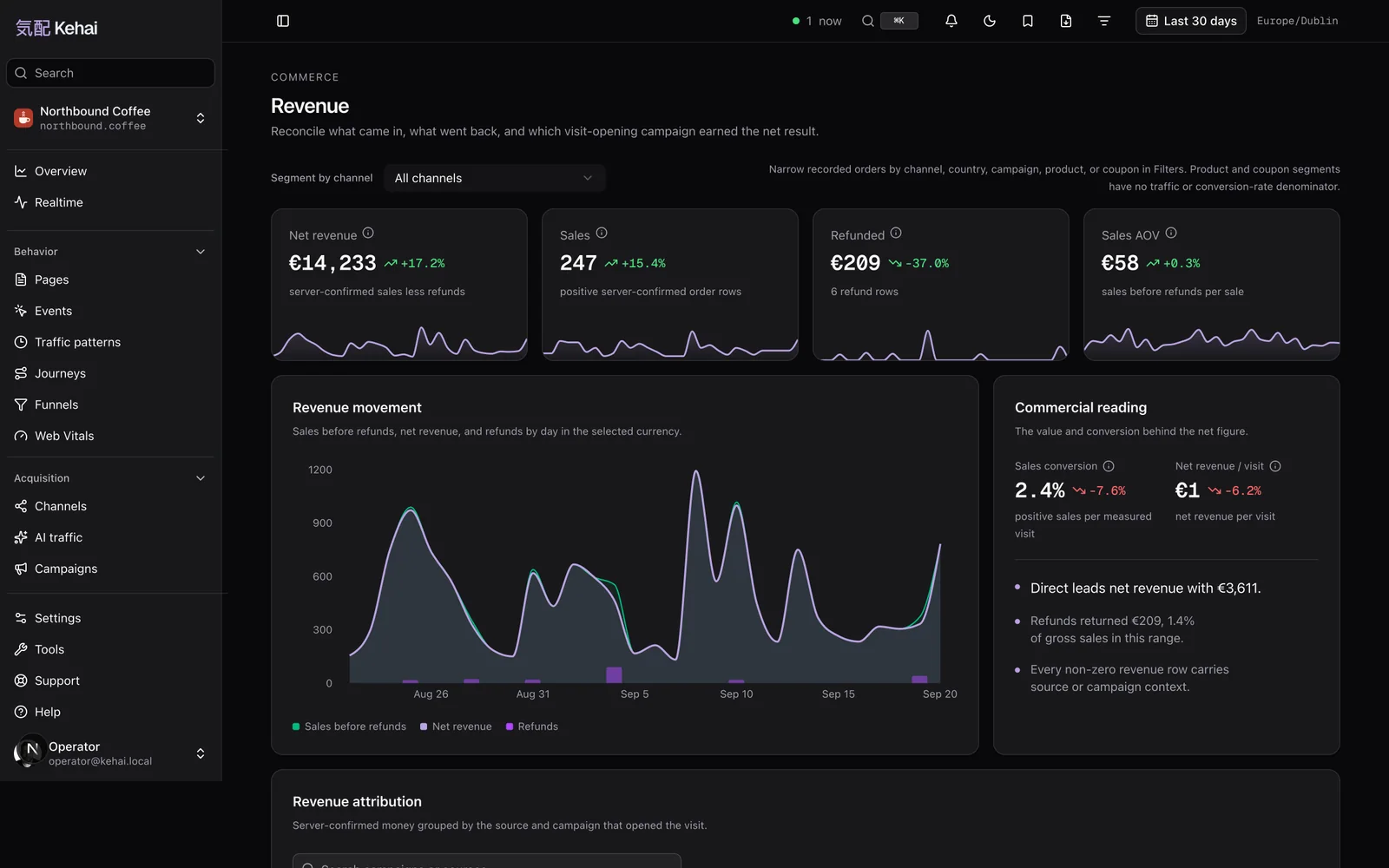
The rules here are strict because money is where analytics usually drifts away from the books:
- Five connections and an API. Stripe takes one restricted key and one webhook. WordPress with WooCommerce, PrestaShop, Wix, and Squarespace each have their own connection, and any other shop sends confirmed orders and refunds to one endpoint. [1][8]
- Refunds are negative orders. A complete or partial refund reduces the same channel the sale once raised. [8]
- Currencies are never summed. Kehai converts nothing, so euros and zlotys never enter one total. [8]
- No order IDs, no customers. Transaction IDs, customer IDs, and email fields are refused outright, and the WordPress plugin keeps order IDs, customer details, and payment IDs inside WordPress. [8][12]
- Unattributed is not direct. An order without its landing context reports as unattributed, because empty context is not evidence of direct traffic. [8]
Eligible sales can also go to Google Ads as conversions, by CSV or an HTTPS feed, when the order carries its real payment time and the original click ID. [1][8] If the server-side argument is new to you, the same logic is behind server-side tracking in general: the order count your shop confirms is a better source than the one a browser was allowed to send.
A guess that admits it
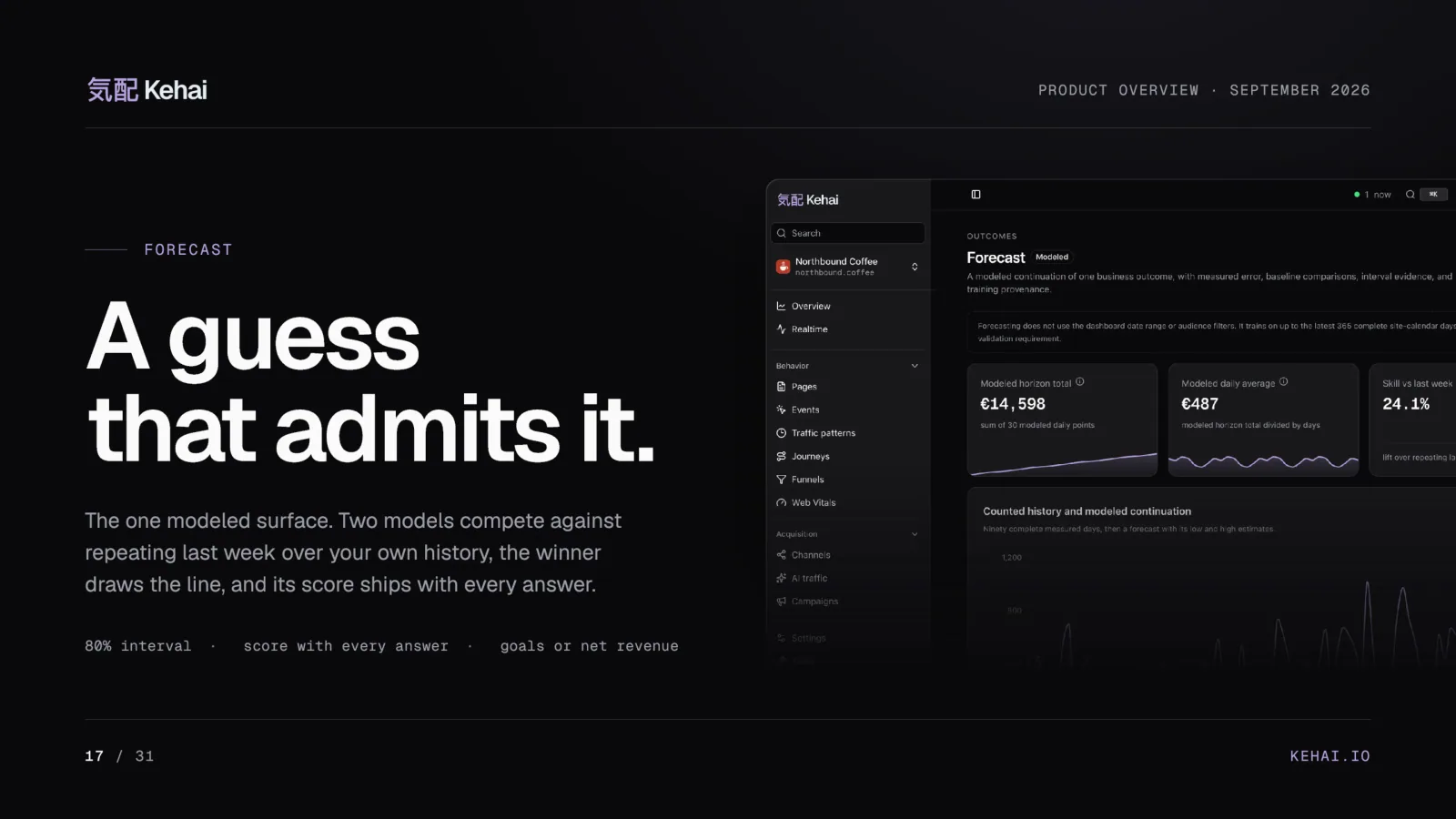
Forecast is the one modeled surface in the product, and it is built to be distrusted. Two models compete, an outlier-resistant Theil-Sen trend and damped Holt smoothing, against simply repeating last week, tested over your own history. The winner draws the line with a calibrated 80% interval, the loser’s score ships with every answer, and the days that surprised the model are flagged by date. [1] The manual explains when a forecast refuses to answer, which it does when the history is too short to test.
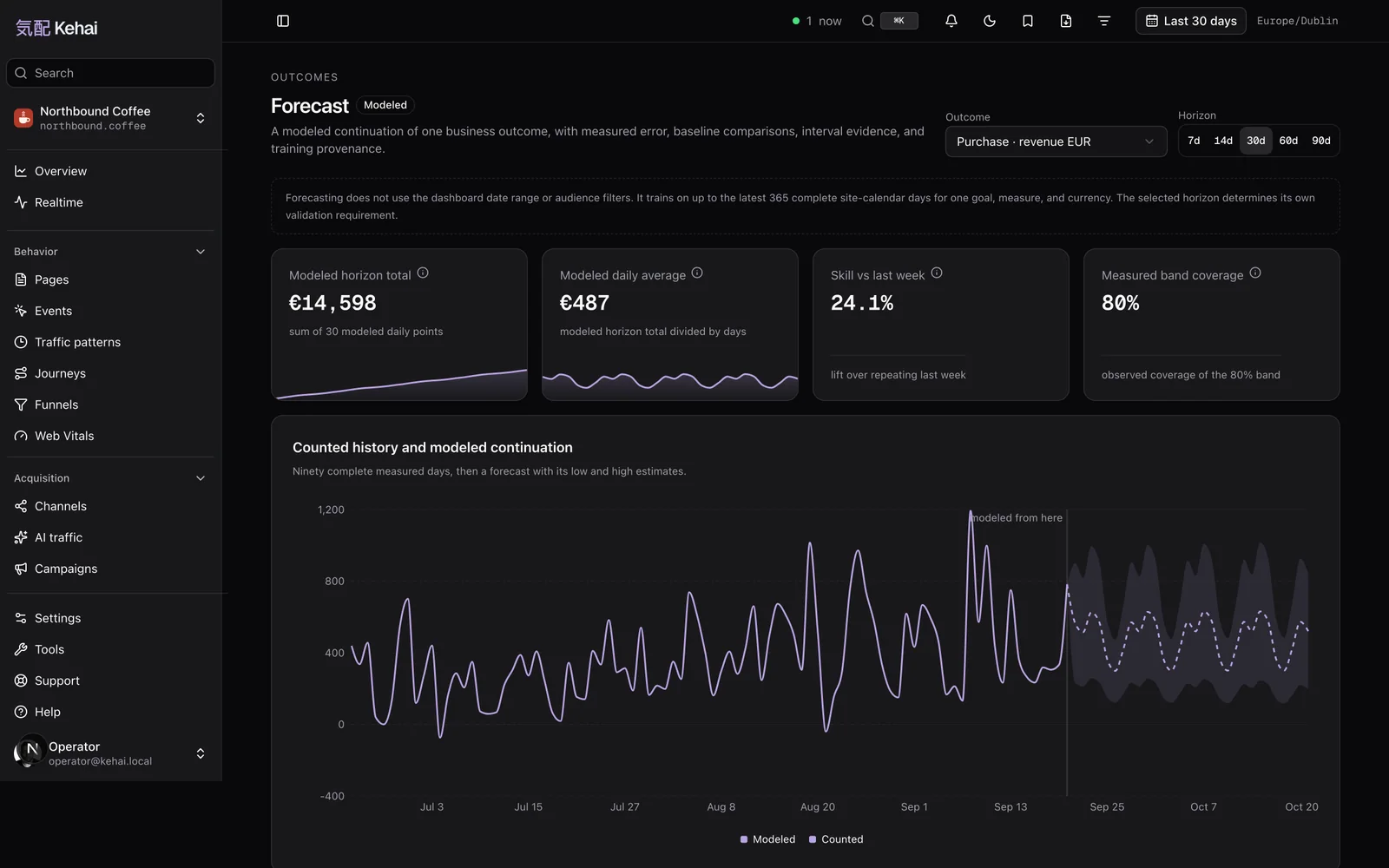
A recorded event, counted. It appears in every report and every export, under its own definition. [2]
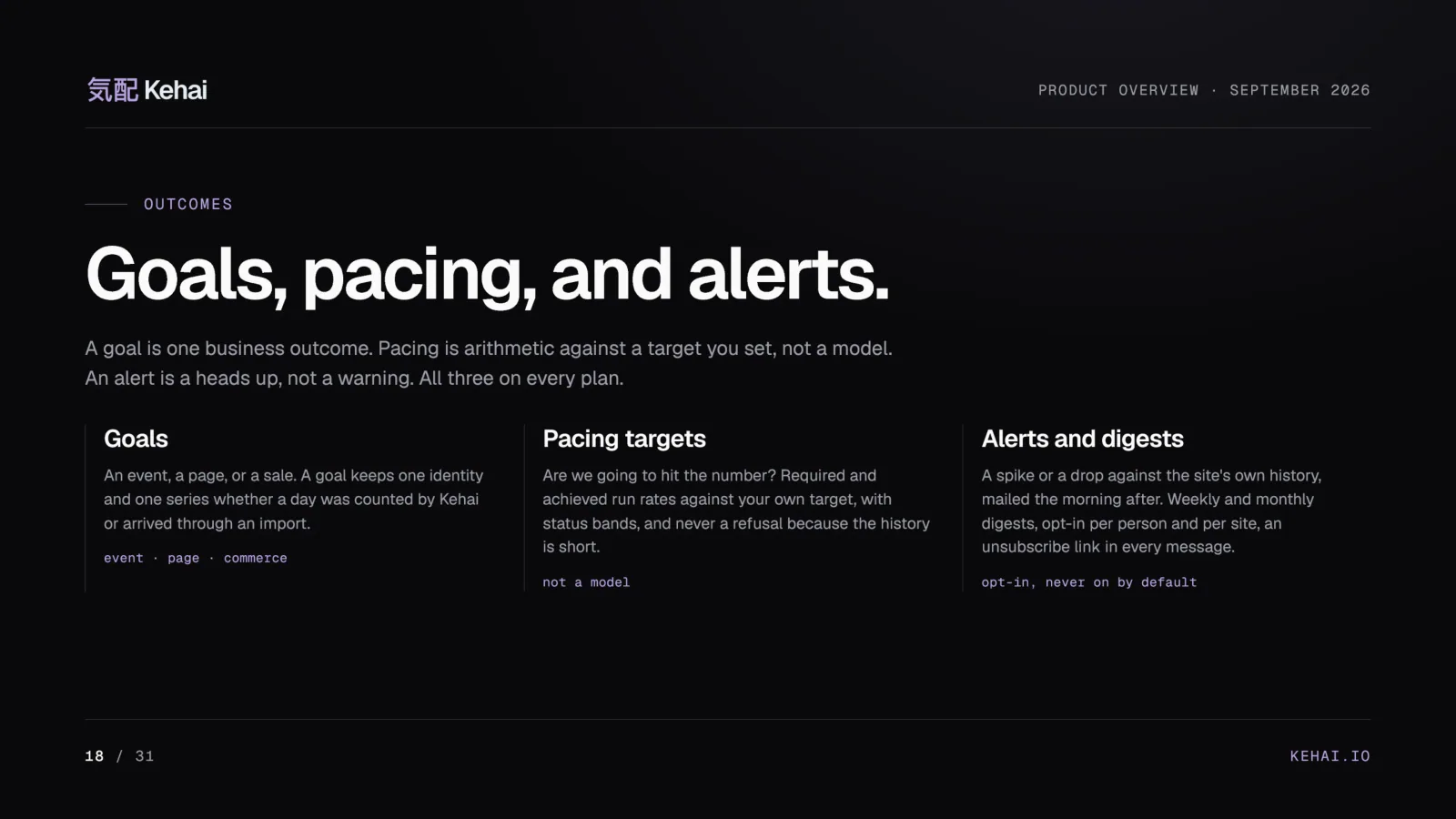
Goals, pacing, and alerts sit beside it on every plan. A goal is one business outcome: an event, a page, or a sale. Pacing is arithmetic against a target you set, not a model. Alerts flag a spike or a drop against the site’s own history and are opt-in per person and per site. [3]
Bring your history, keep it labeled
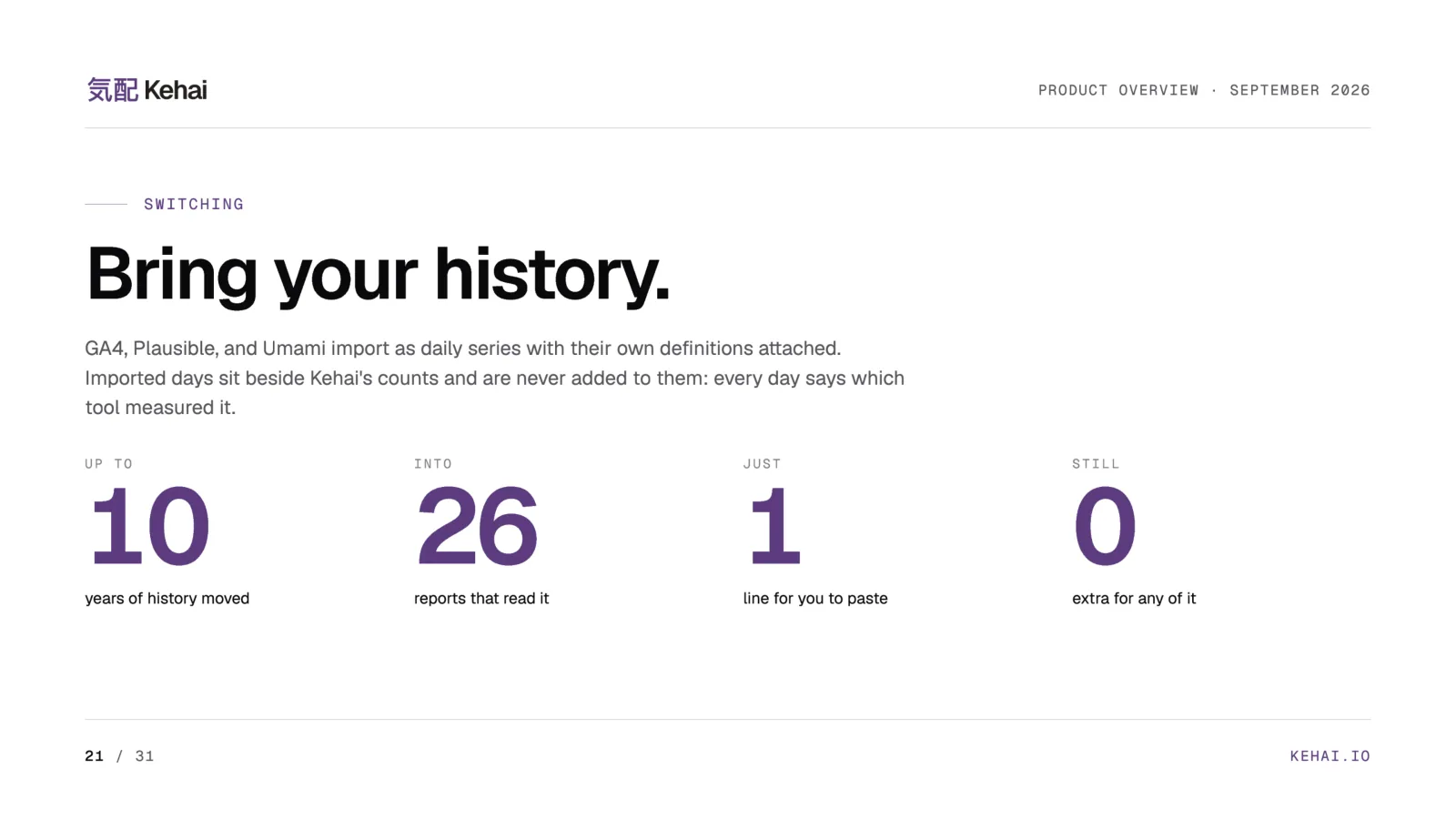
Leaving an analytics tool usually means abandoning its history. Kehai imports it instead: GA4 through a read-only Google connection, Plausible and Umami with a key from your own account. [1][16] The daily history lands in the same reports, with one rule that keeps it honest. Counted always wins a day: an imported figure appears only on a day Kehai measured nothing, so no single number mixes instruments, and the summary states how many days in a range were counted and how many imported. [16]
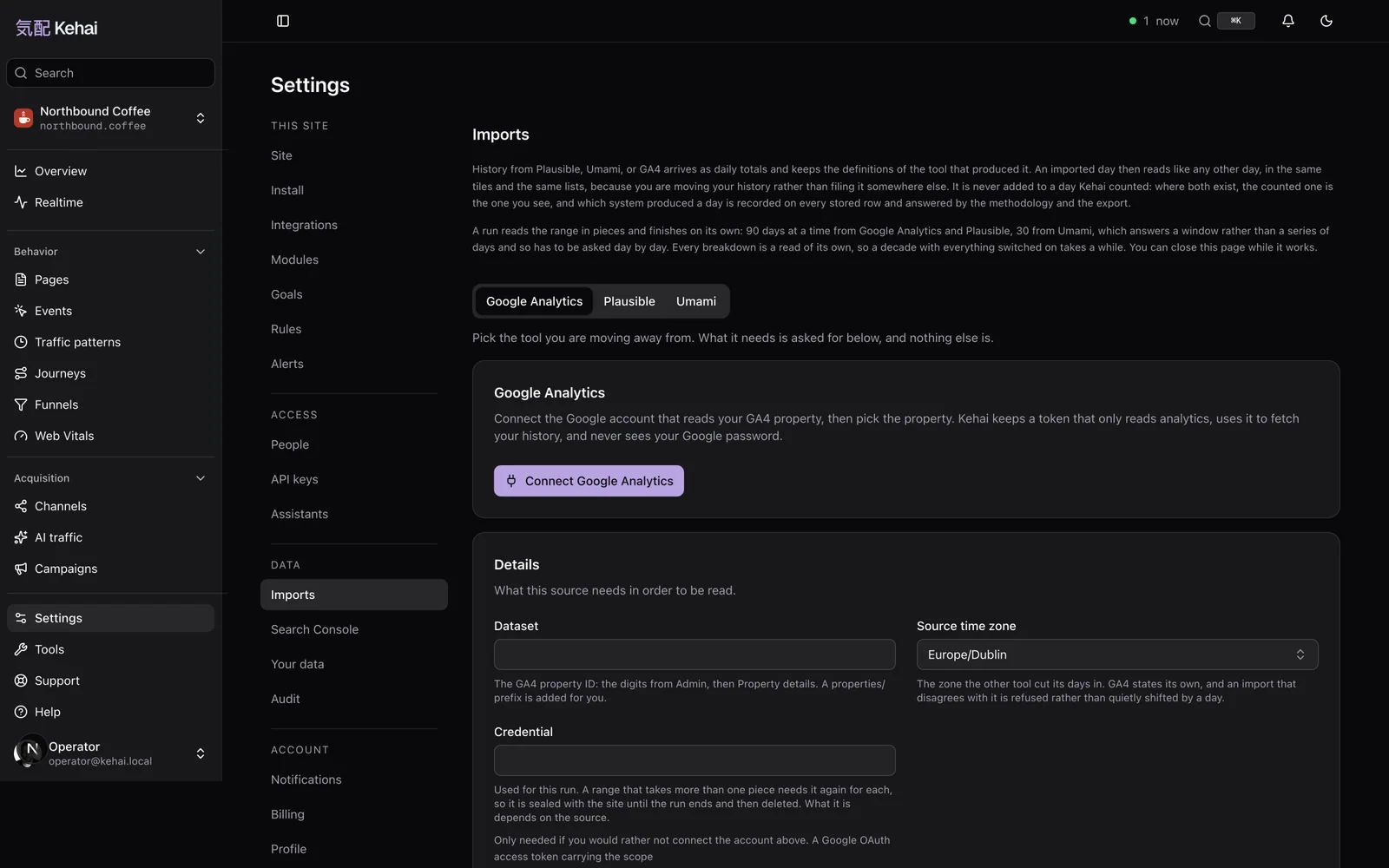
The importer is candid about the sources too. GA4 counts with a cookie-scoped ID approximately by design, and the import records when a day was also sampled or thresholded, so a difference against counted days has a stated reason. Plausible, which uses a daily hash much like Kehai’s, is the closest cousin. [16] What does not import is listed just as plainly: range-level unique visitors, and raw events, because the external importers read daily aggregates. [16] Coming from GA4, read the GA4 dictionary first: it maps users, sessions, and engagement to Kehai’s names and says why the numbers will not match to the decimal.
Connect or upload
Connect Google from the Imports screen, or paste a Plausible or Umami key. Moving from another Kehai site, upload its export file instead. [1]
Your history arrives
Daily series with your old tool’s definitions attached, mapped onto your goals, labeled with the system that measured them. [16]
Run both for a while
Keep both tags for a few weeks and read the same days in each. Every day says which tool measured it. [1]
Switch off the old tag
Keep one collection script. Imported days stay for as long as your plan keeps history. [1]
Leave any day, with everything
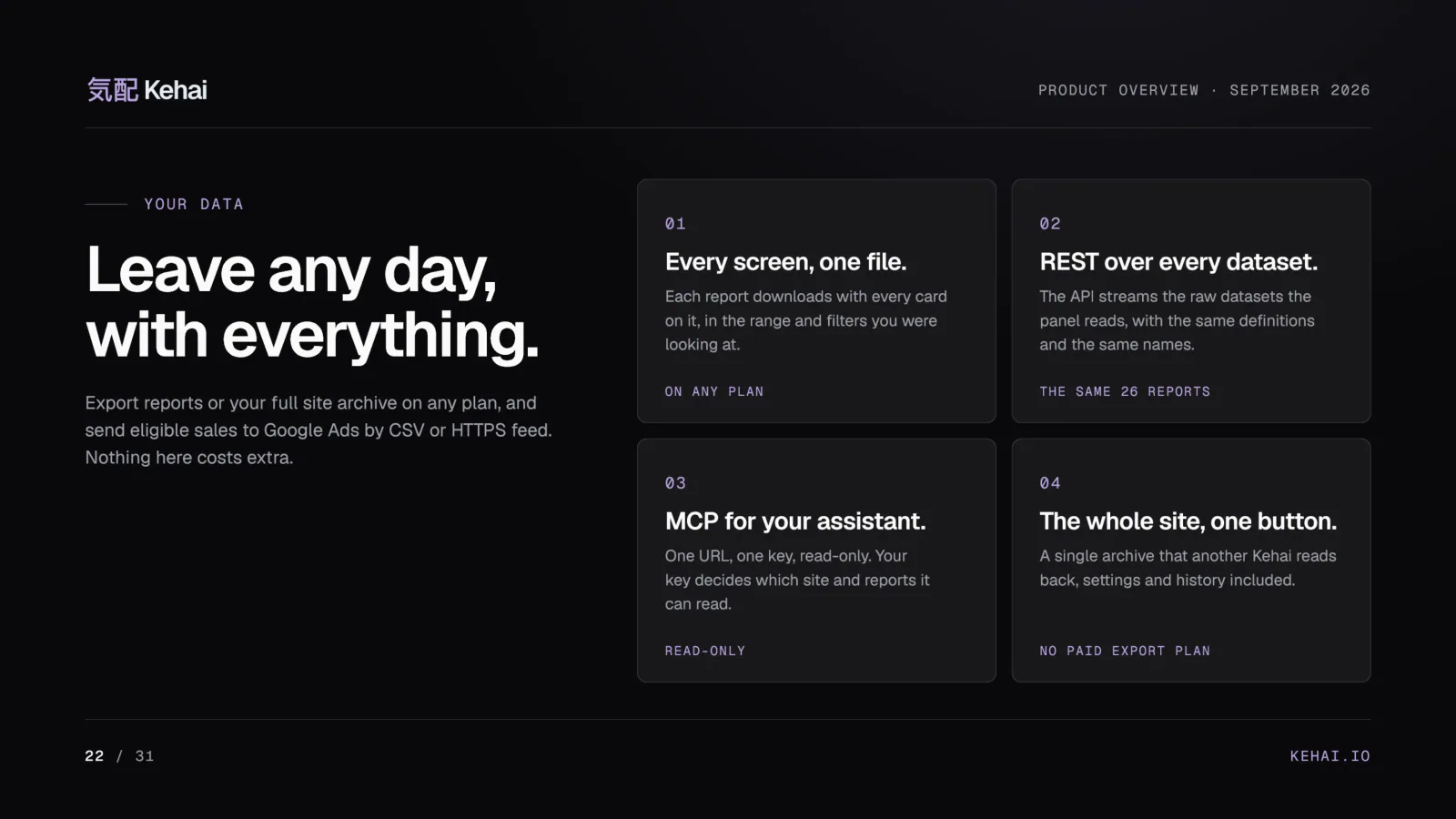
Lock-in ends where the export begins, so export is a feature on every plan rather than a tier. Each report screen downloads as one file with every card on it, in CSV, JSON, NDJSON, Markdown, or XML. The REST API streams the raw events, commerce, and bot tables. One button exports the whole site as a single file, configuration first and then every row, and another Kehai site can read it back. [1][9] Sharing and exports lists what leaves and in which format.
Ask your own AI, not ours
Kehai serves a read-only MCP server at one URL with one key. Claude, Cursor, VS Code, or any MCP client then answers questions from the same reports the panel draws, from the same functions, so the number your assistant gives you about last week is the number the screen would show. [10] Read-only is structural: the MCP surface exposes report tools and nothing that writes, and the key decides the site and the time zone. [10] There is no chat box over your raw visitor data inside Kehai, and that is a decision rather than a gap. Your model key never passes through Kehai. [1] If the protocol is new to you, this explainer on MCP covers it.
Where it runs, and what is not in place
Analytics rows live on hardware in Warsaw, Poland, under EU law. [1] Backups sit in OVHcloud object storage in the same city, and Cloudflare proxies the public hostnames, which means Cloudflare can read requests before Kehai does. [15] The sub-processor list names who processes data for Kehai and where. I will not tell you that nothing leaves the server, because it would not be true.
A single operator. Kehai is built and run by one person. There is no team to separate duties between and no on-call rotation. [15]
No external audit. No SOC 2 report, no ISO 27001 certificate, no third-party penetration test. Nothing has been verified by anyone but the operator. [15]
No enforced second factor for administrators, and no automated dependency scanning. Two-factor sign-in and passkeys are available to every account, but not mandatory. [15]
A security page without that section is a sales document. Kehai is funded by subscriptions, with no investors and no ad model, so nothing about your visitors is worth more to it than your subscription. [11]
The full product overview, in 31 pages
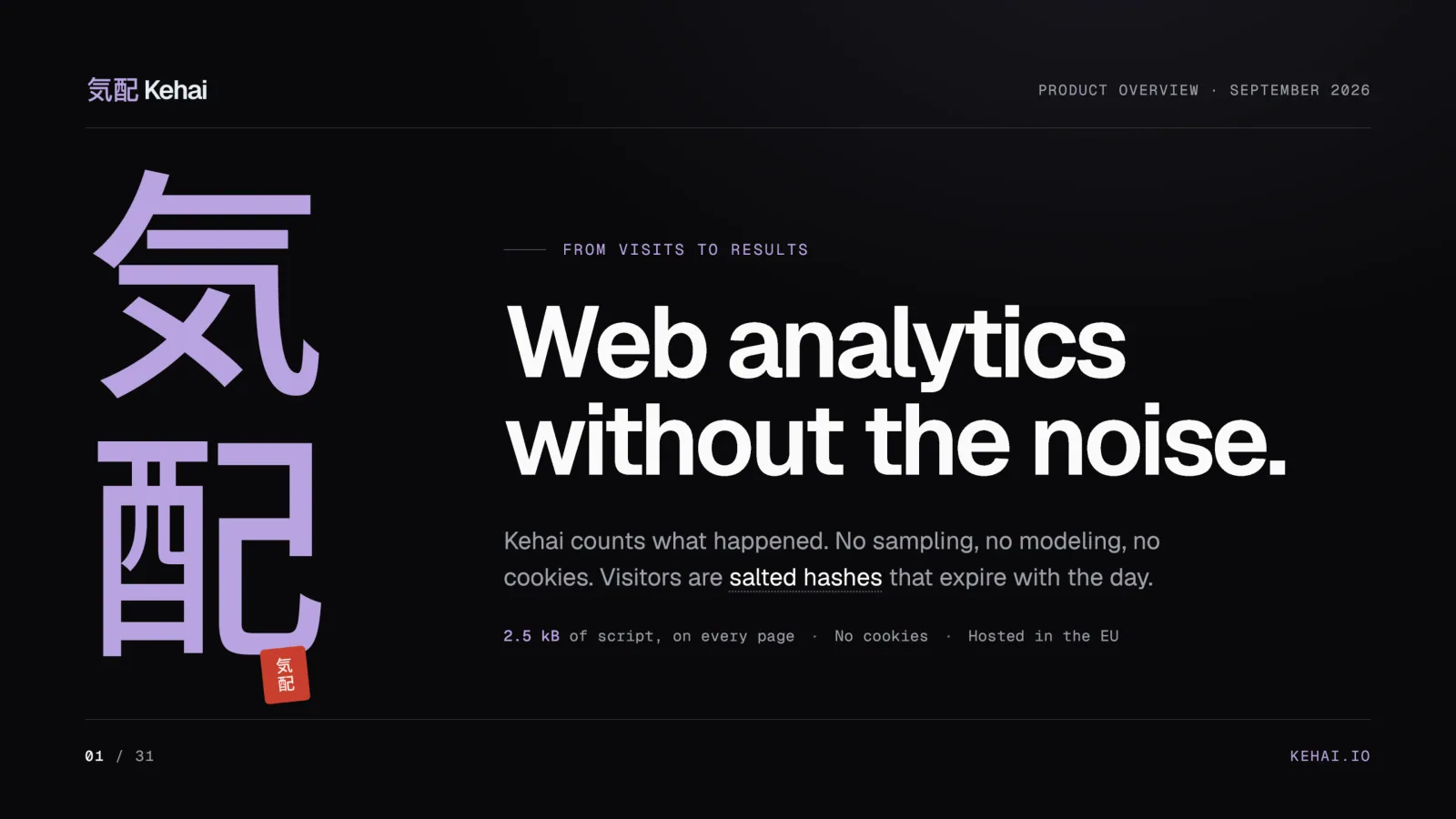
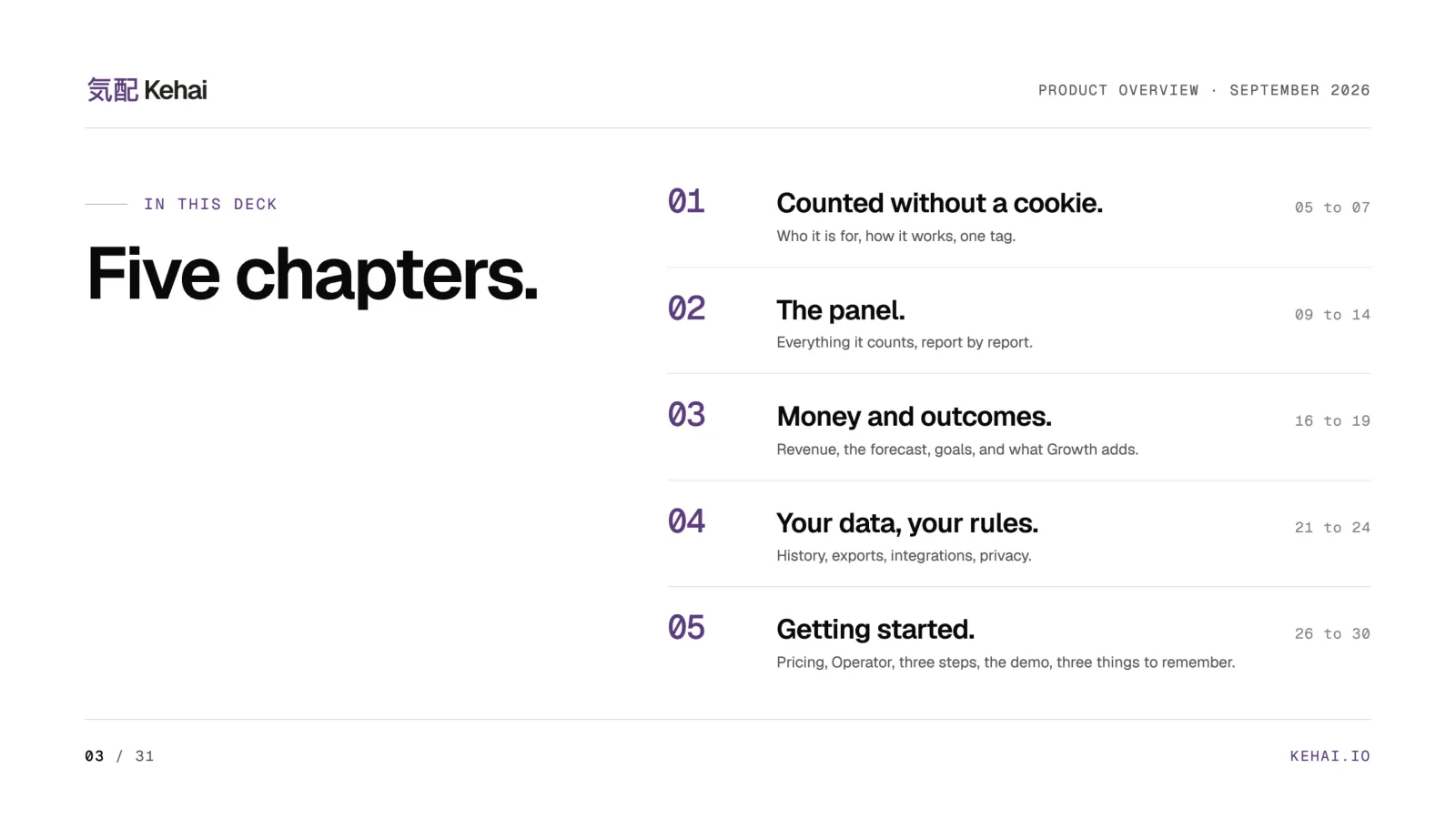
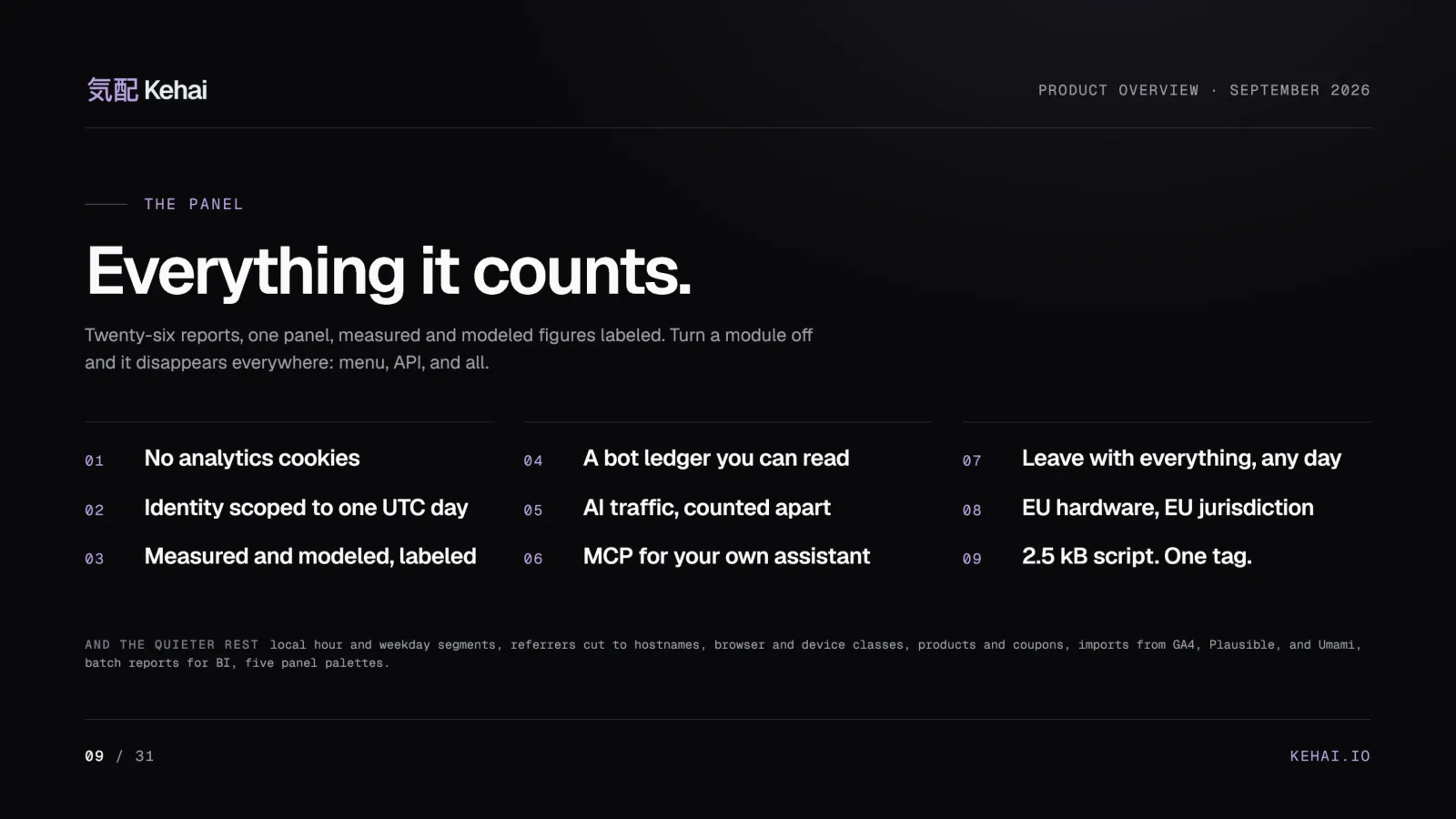
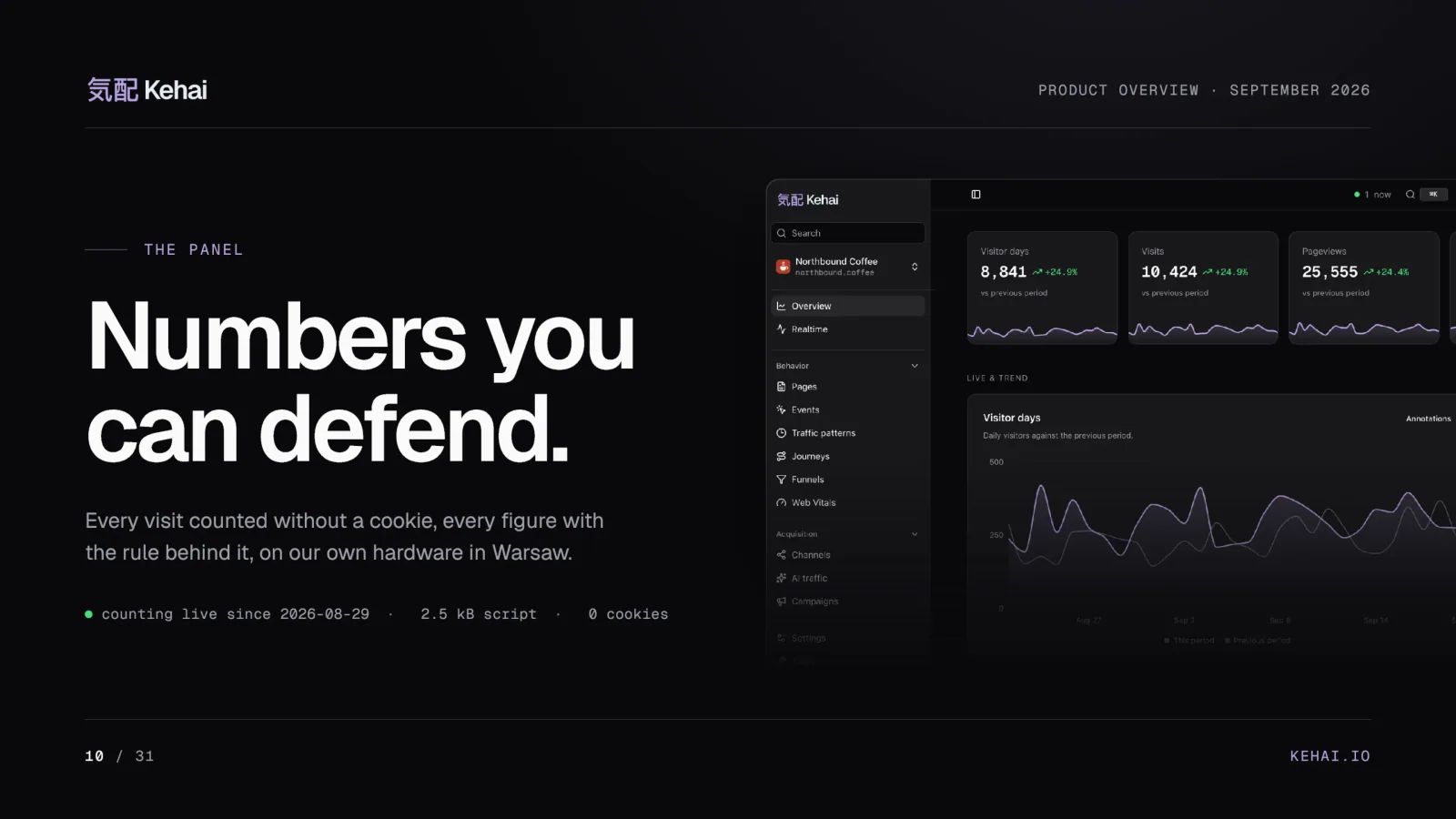
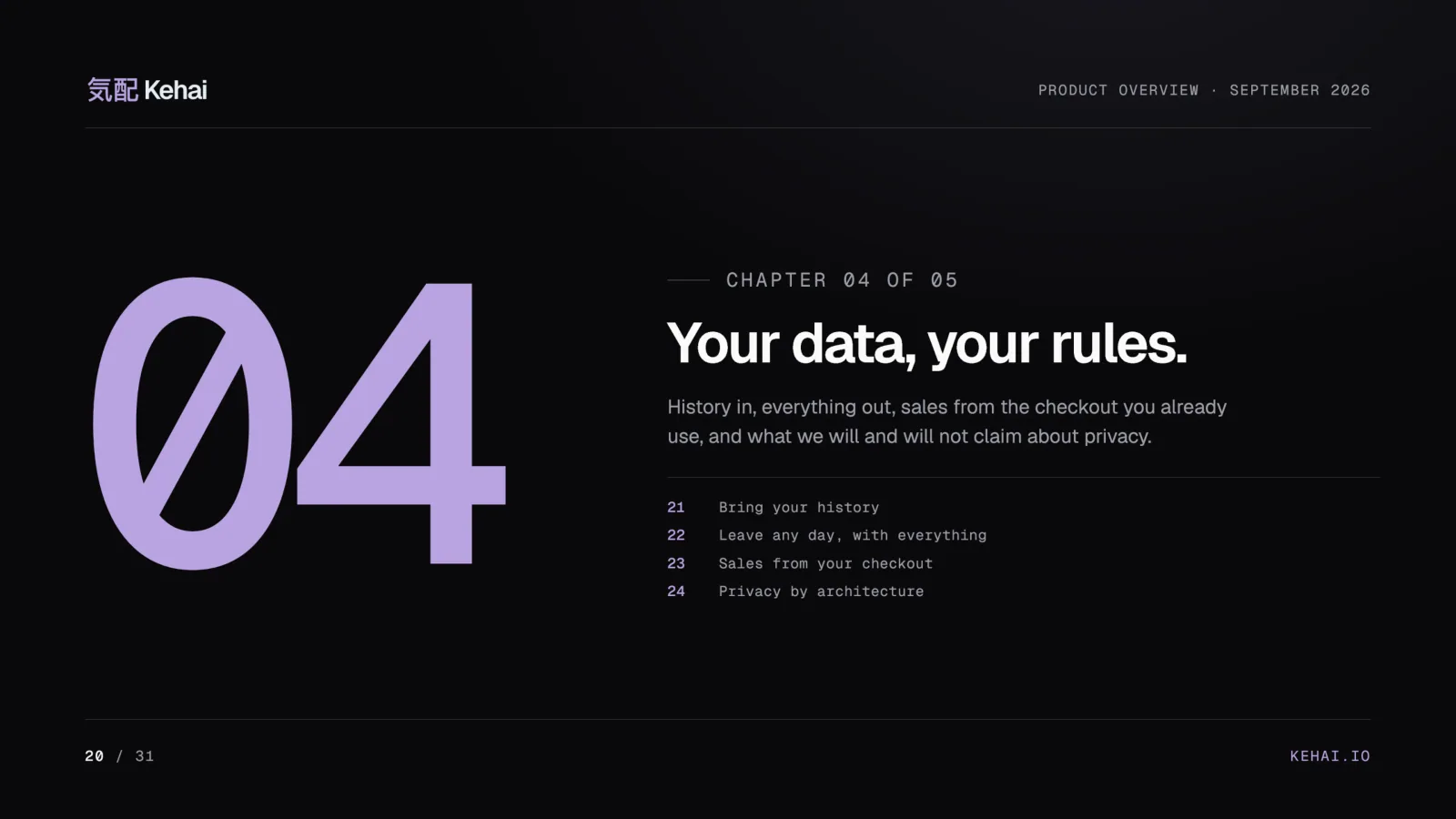
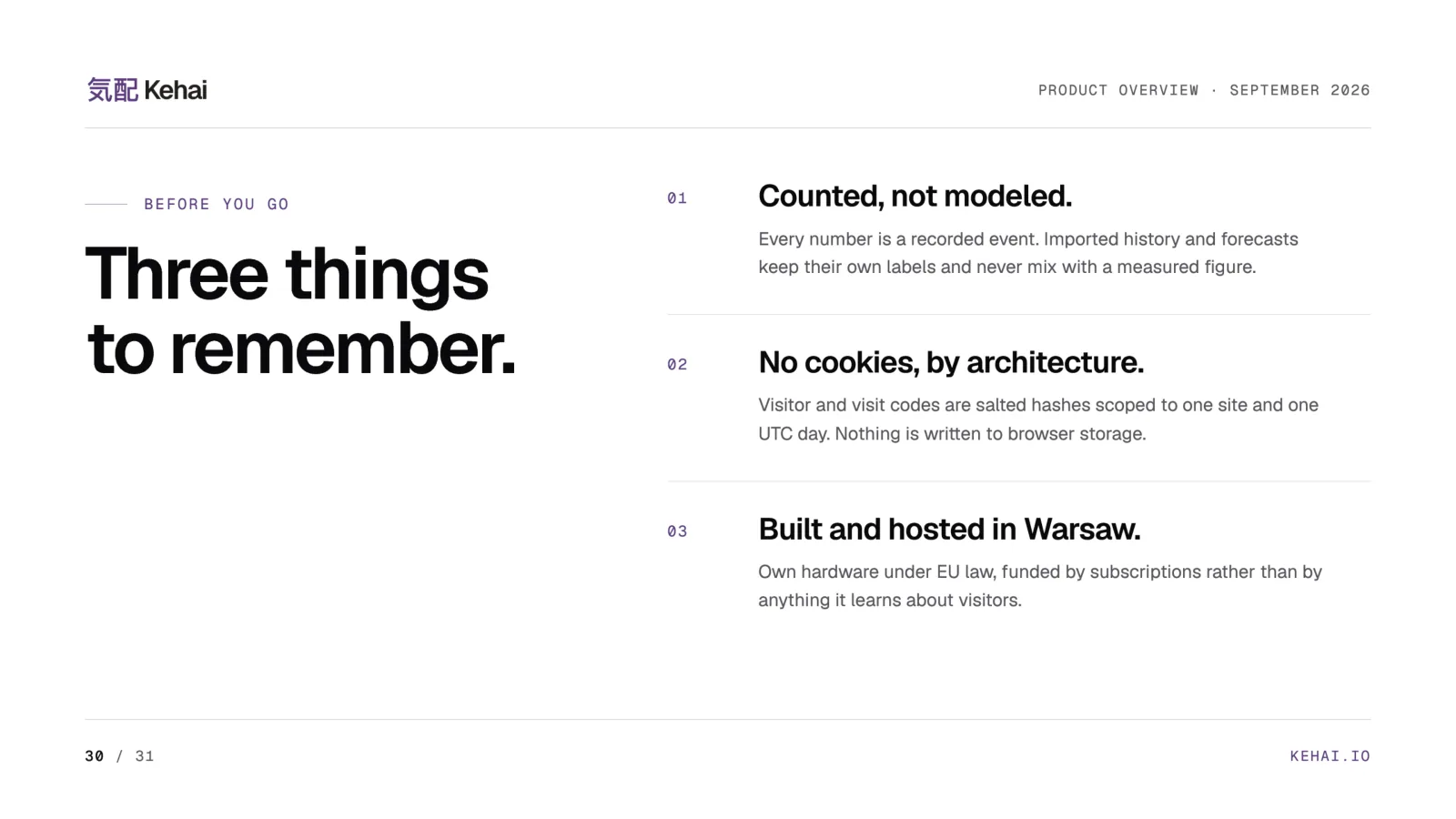
This is the Kehai product deck, in five chapters: counted without a cookie, the panel, money and outcomes, your data, and getting started. Turn the pages here, or open the same deck as a PDF on kehai.io, where its prices are printed from the same price book Checkout reads. [3] The press page also carries the fact sheet, the screenshots, and the film, and one archive holds eight screenshots at 2,400 pixels. [3]





Every plan counts the same way
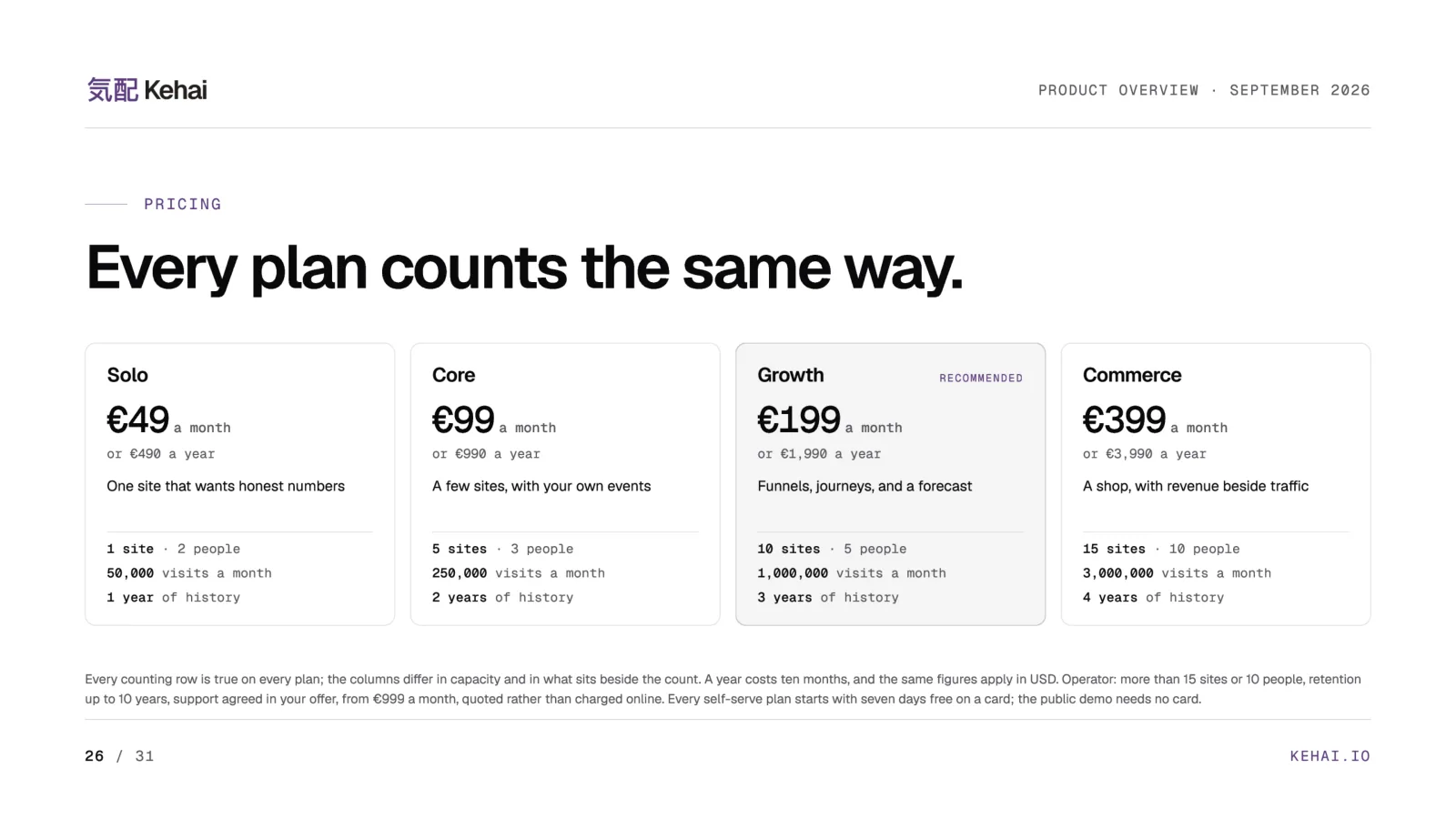
What changes between the plans is capacity and what sits beside the count, not the counting. Solo carries the reports every site needs plus the bot ledger. Core adds custom event properties. Growth adds journeys, funnels, and forecasting. Commerce adds revenue, products, and coupons. [1]
| Plan | Monthly | Yearly | Visits a month | Sites | People | History |
|---|---|---|---|---|---|---|
| Solo | €49 | €490 | 50,000 | 1 | 2 | 1 year |
| Core | €99 | €990 | 250,000 | 5 | 3 | 2 years |
| Growth | €199 | €1,990 | 1,000,000 | 10 | 5 | 3 years |
| Commerce | €399 | €3,990 | 3,000,000 | 15 | 10 | 4 years |
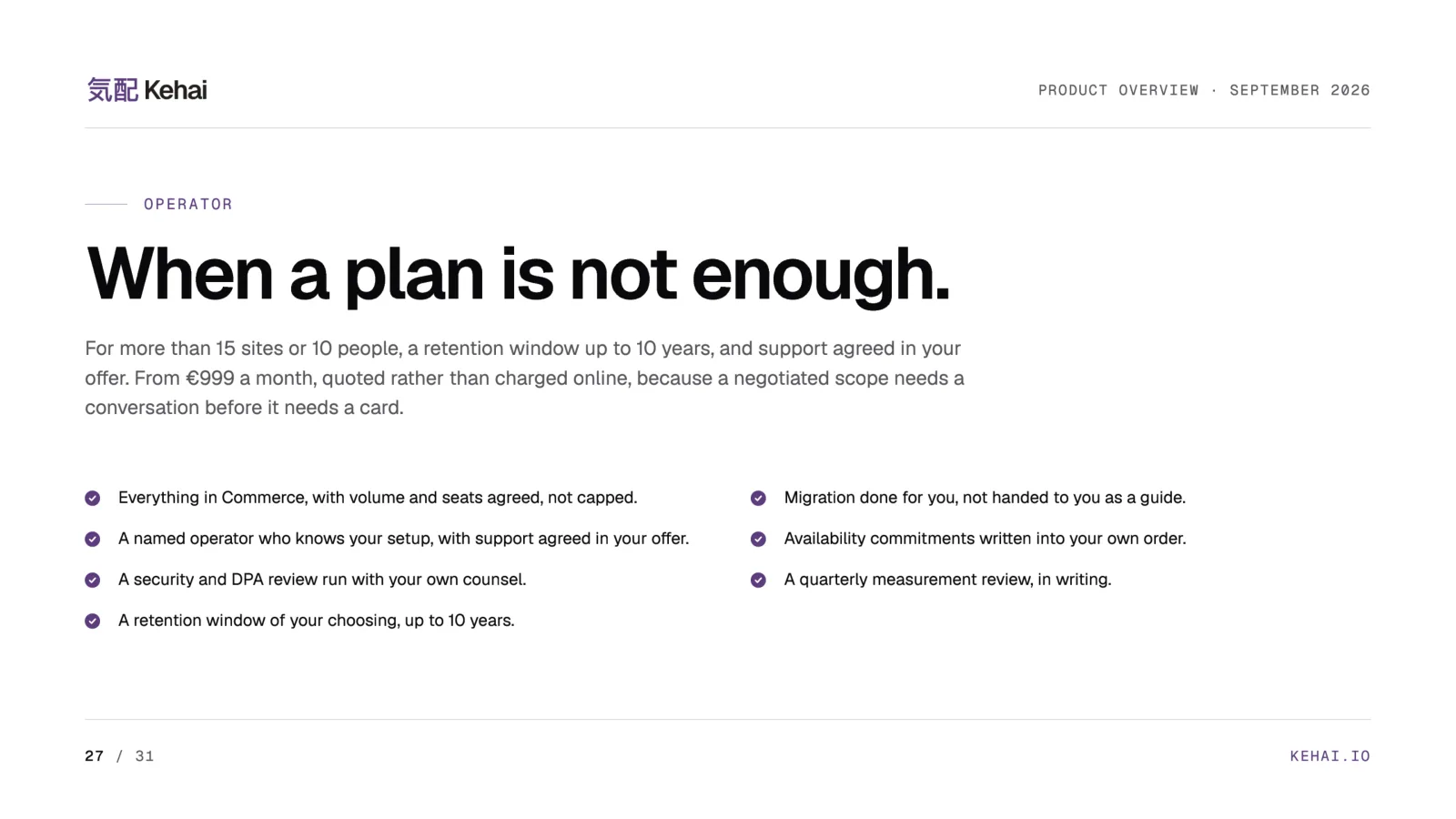
Prices are the same figures in USD, exclude VAT, and are for business customers. A year costs ten months. Longer history, five, seven, or ten years, is an add-on on any plan, at €49, €69, or €99 a month. [1] Go over the visit band two months in a row and I write to you to agree a plan from the next period. Nothing is blocked and no measured row is dropped. [1] For more than 15 sites or 10 people there is Operator, from €999 a month, quoted rather than charged online, with migration done for you and a quarterly measurement review in writing. [1]
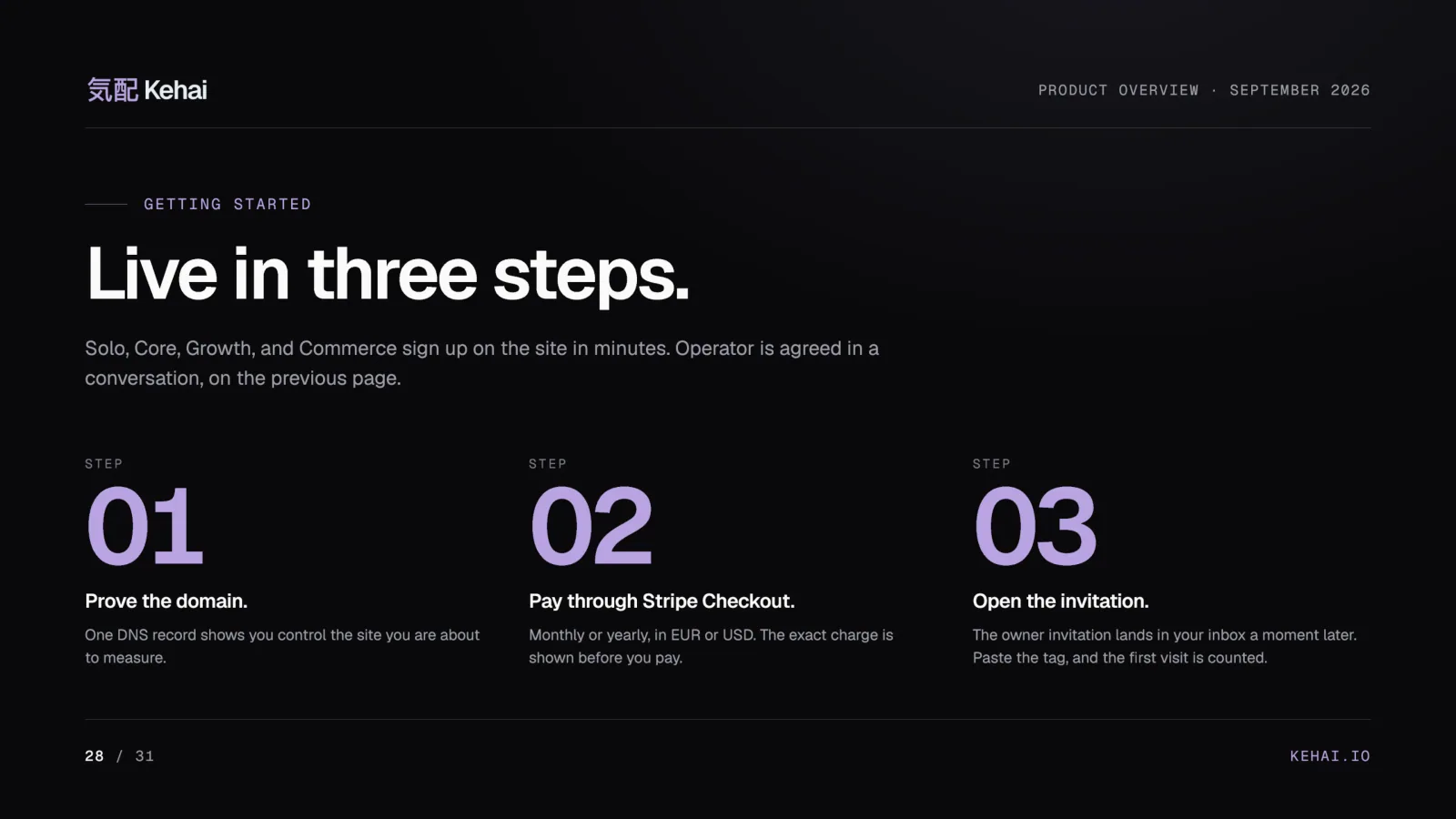
Signing up takes three steps: prove you control the domain with one DNS record, pay in Stripe Checkout, which takes nothing for the first seven days, and open the owner invitation. Paste the tag and the first visit is counted. [3] The manual walks it in create your account. Cancel inside the trial and nothing is charged. [1]
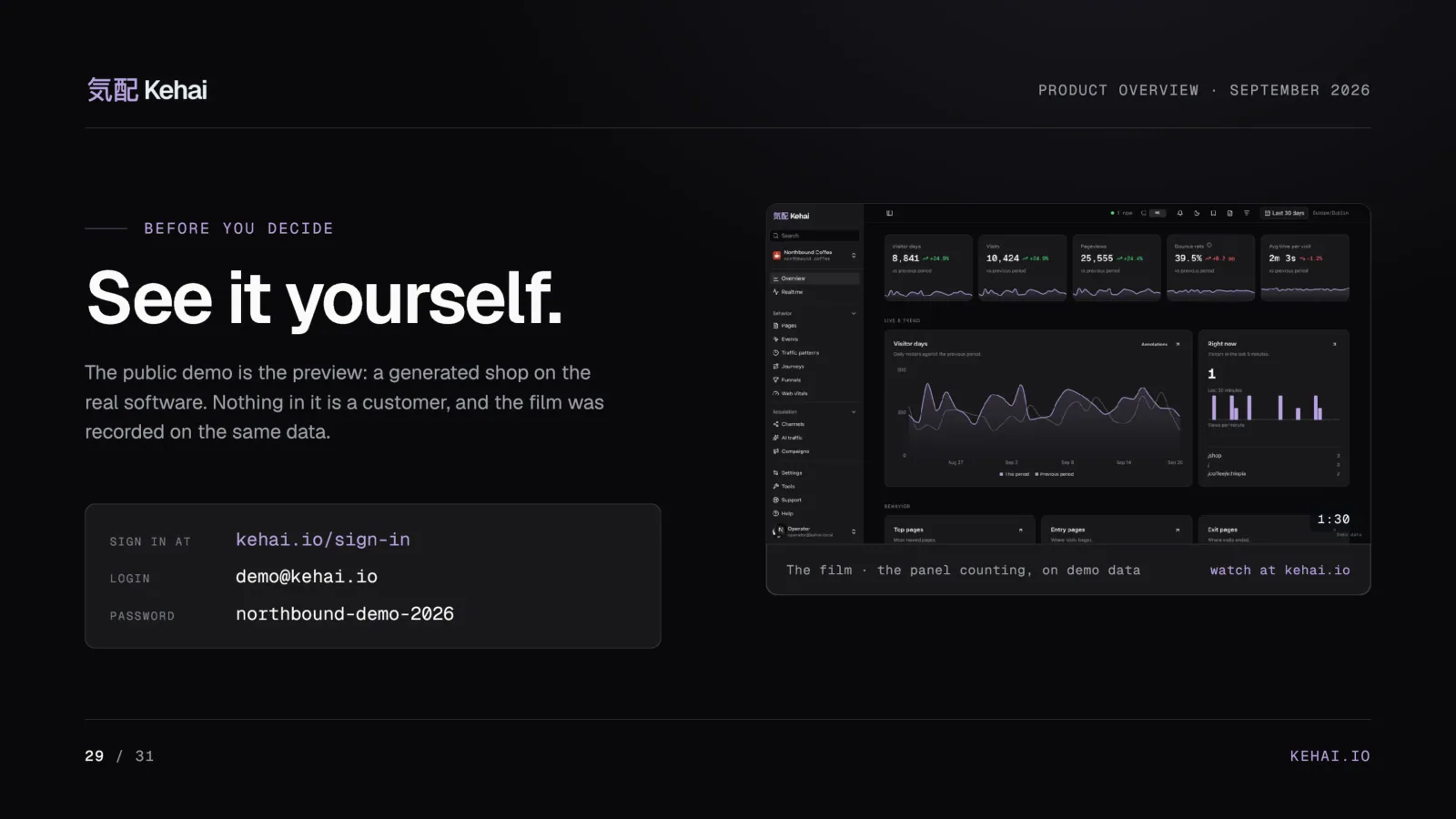
If you would rather look first, the public demo needs no card: sign in at kehai.io with [email address] and the password northbound-demo-2026, or watch the 90-second film of the panel recorded on the same data. [3][1]
What Kehai does not do
A product is defined as much by its boundaries, so here are mine, in writing:
- No visitor profiles, no person-level timeline, and no cross-day identity. [2]
- No returning-visitor figure across days, because that would need a stable identifier. [2]
- No built-in AI chat over your visitor data. Bring your own assistant over MCP. [1][10]
- No consent banner shipped, and no promise that your installation is exempt from one. [13]
- No claim that nothing leaves the server. Cloudflare proxies the public hostnames. [15]
- No free plan. There is a seven-day trial on every plan and a public demo. [3]
- No certification yet: no SOC 2, no ISO 27001, no third-party penetration test. [15]
Who answers your email
Me. I build and run Kehai through salecki.digital, a one-person studio in Piaseczno near Warsaw, and I wrote the tracker, the panel, and the documentation. [11] The about page has the company, the dates, and who signs, and the contact page reaches me. Human email support is on every plan, Monday to Friday, and the reply to a question about an import usually comes from the person who wrote the importer. [1] Like the last product I shipped, Kehai was built by one person.
What I hope you take from this piece is one standard: every number should say which system measured it, and the row behind it should still be there when someone asks. If your current analytics cannot meet that for the figures you report upward, the demo is open, and the trial is seven days.
See it first: open the public demo, no card needed.
Run it on your site: start the seven-day trial on any plan.
Read before you decide: the manual, from the install tag to the API, and kehai.io for the whole product.
Sources
- Kehai · Web analytics without the noiseFirst-party. Homepage with features, integrations, pricing, and FAQ, read October 14, 2026.
- Kehai documentation · How counting worksFirst-party. Definitions of visitor, visit, day, and origin.
- Kehai · PressFirst-party. Fact sheet, screenshots, film, and the deck.
- Google Analytics Help · About data samplingPrimary. GA4 sampling limits.
- Google Analytics Help · [GA4] About data thresholdsPrimary.
- Google Analytics Help · About the (other) rowPrimary.
- Google Analytics Help · [GA4] Behavioral modeling for consent modePrimary.
- Kehai documentation · EcommerceFirst-party. The server-to-server commerce contract.
- Kehai documentation · ReportsFirst-party. The screens, the card contract, and the honesty rules.
- Kehai documentation · MCP for assistantsFirst-party.
- Kehai · AboutFirst-party. The company, the dates, and who signs.
- WordPress.org · Kehai AnalyticsThe plugin’s directory listing, version 0.2.0.
- Kehai · Cookies and storageFirst-party. The field inventory and the consent position, updated September 19, 2026.
- Google Analytics Help · Data retentionPrimary.
- Kehai · SecurityFirst-party, including the section on what is not in place. Updated September 14, 2026.
- Kehai documentation · Bring your historyFirst-party. The GA4, Plausible, and Umami importers.
- Kehai documentation · Acquisition and audienceFirst-party. Channels, campaigns, referrers, AI traffic, and Search Console.
- Kehai documentation · Pages and behaviorFirst-party. Entry and exit pages, traffic patterns, journeys, funnels, and Web Vitals.
- Kehai documentation · Sharing and exportsFirst-party. Share links, campaign and tracking links, exports, digests, and alerts.
Frequently asked questions
What is Kehai?
Kehai is web analytics for people who run websites and online stores. It counts visits without cookies or browser storage, keeps measured, imported, and modeled figures labeled and apart, takes revenue from the shop’s server, and runs on hardware in Warsaw, Poland. I designed it, wrote it, and run it.
How does Kehai count visitors without cookies?
The server derives a one-way visitor code from the site, the network address, and the browser’s user agent, salted with a random value that changes every midnight UTC. A visit ends after 30 minutes without activity or at midnight UTC. Nothing is written to the visitor’s device, and the codes do not carry into the next UTC day.
Does Kehai mean I no longer need a consent banner?
Not automatically. Kehai sets no analytics cookie and writes no visitor identifier to browser storage, but its script still reads page and device information. Whether an installation needs consent depends on its configuration and the applicable law. Kehai publishes a field-by-field cookie and storage statement so your counsel can assess it.
How is Kehai different from Google Analytics 4?
Google documents sampling above 10 million events per query in explorations, thresholds that withhold small rows, an (other) row that condenses rare values, and modeled data blended into reports when consent mode is used. Kehai’s measured reports do not sample, threshold, or blend a model into a count, and every observed row stays reachable through pagination.
Can I import my Google Analytics history into Kehai?
Yes. GA4, Plausible, and Umami importers bring daily history into the same reports, each day labeled with the tool that measured it, up to ten years back. Imported days are never added to Kehai’s own counts, and the importers read daily aggregates rather than recreating raw events.
Which shops and payment systems does Kehai connect to?
Stripe, WordPress with WooCommerce, PrestaShop, Wix, and Squarespace, plus a server-to-server commerce API for any other shop. Confirmed sales and refunds arrive from the shop’s server after payment, each currency kept separate, and eligible sales can be exported to Google Ads by CSV or HTTPS feed.
Does Kehai track AI traffic from ChatGPT and other assistants?
Yes. Visits sent by assistants such as ChatGPT, Claude, and Perplexity land in their own channel, classified ahead of search, and they are kept apart from AI crawlers, which go to the bot ledger with the rule that caught them.
Can I connect Claude or another AI assistant to my Kehai reports?
Yes, through Kehai’s read-only MCP server: one URL and one read-scoped API key. The assistant reads the same defined reports the panel draws and cannot change settings, send events, or see other sites.
How much does Kehai cost?
Four self-serve plans: Solo at €49 a month, Core at €99, Growth at €199, and Commerce at €399, with a year at the price of ten months and the same figures in USD. Every plan starts with seven days free. Operator, for larger setups, starts at €999 a month and is quoted.
Where is Kehai’s data stored?
Analytics rows live on hardware in Warsaw, Poland, under EU law, with backups in OVHcloud object storage in the same city. Cloudflare proxies the public hostnames, so Kehai does not claim that nothing leaves its servers. Raw IP addresses stay out of the analytics database and sit in rate-limit memory for up to three minutes.
Can I export all my data from Kehai?
On every plan. Each report screen downloads as one file in CSV, JSON, NDJSON, Markdown, or XML, the REST API streams the raw datasets, and one button exports the whole site as a single archive that another Kehai site can read back.
Who is behind Kehai?
I am. I build and run Kehai through salecki.digital, a one-person studio near Warsaw, and wrote the tracker, the panel, and the documentation. The support address reaches me, and the security page says plainly that there is no team, no SOC 2 report, and no third-party penetration test yet.

Mikołaj Salecki
Writes about media, tech, and AI business for people who actually run digital. Former agency lead. Skeptic of frameworks that read better than they perform.